The Polar Pinch Problem: How VR Artists Solve Texture Distortion
By Max Calder | 24 December 2025 | 13 mins read
Table of contents
Table of Contents
Making a flat texture look good is one thing. Making it wrap flawlessly around a sphere that a player stands inside? That’s a whole different ball game. We're going to break down the most common challenges that turn great art into a technical headache, from the dreaded polar pinch to performance bottlenecks, and lay out a clear, practical guide to help your team create stunning, seamless worlds without the endless trial and error. Because in VR, the environment isn't just a backdrop, it's the entire world. Nailing your 360 environment textures is the foundation for creating truly immersive experiences that are both beautiful and performant, saving you time and headaches in the process.
Unpacking the core 360 environment texture challenges
The warped reality: Overcoming perspective and distortion in immersive design
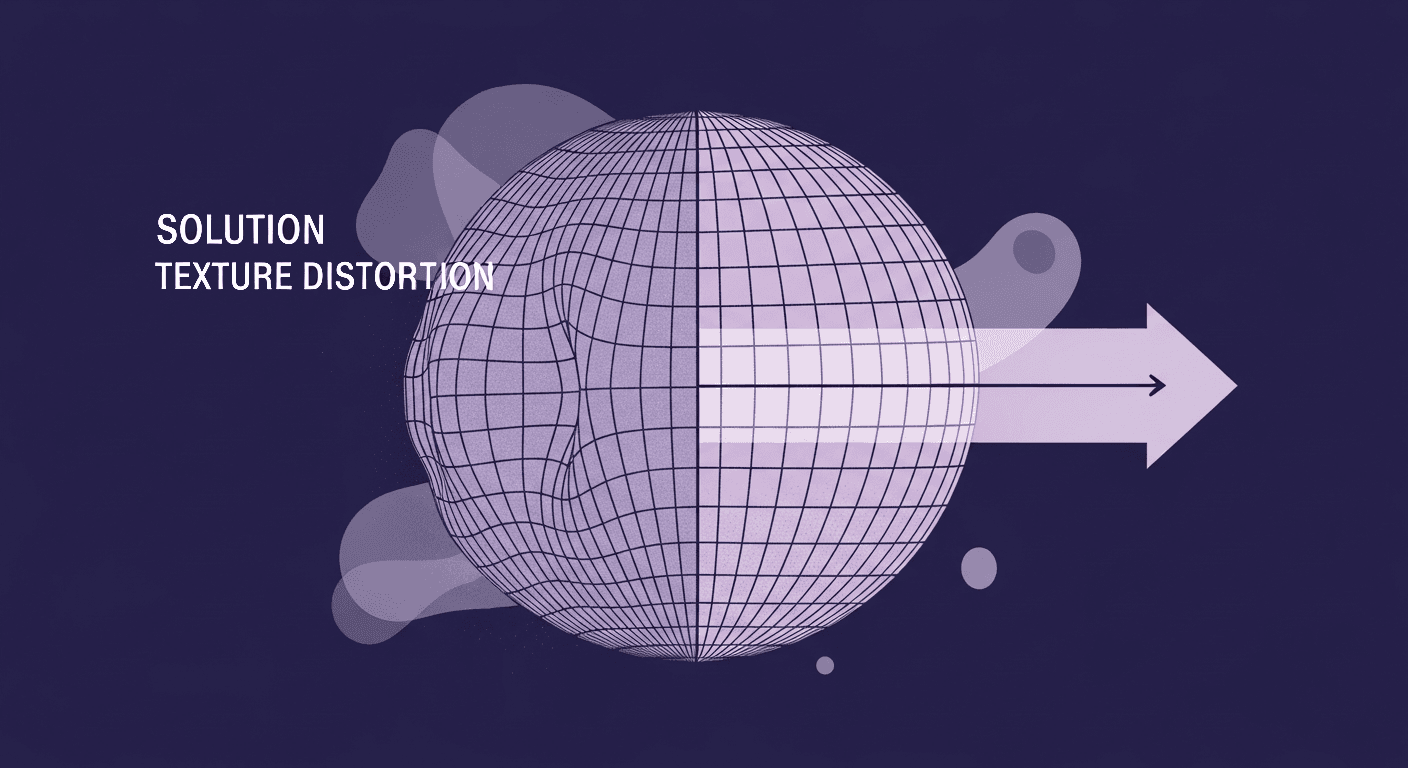
Think of it like trying to gift-wrap a basketball with a single sheet of paper. No matter how you fold it, you're going to get creases and stretched sections. Traditional texturing methods, built for flat planes or predictable 3D models, fall short here for the same reason. They weren’t designed for the unique geometry of a sphere.
This leads to two classic, frustrating issues:
- Pinching at the poles: The top (zenith) and bottom (nadir) of your spherical texture converge to a single point. This forces a huge amount of texture data into a tiny space, causing ugly, pinched artifacts. A sky that looks perfect at the horizon becomes a swirled mess directly overhead.
- Seam visibility: The left and right edges of your flat texture need to meet perfectly to create a seamless 360-degree loop. Any slight mismatch in color, pattern, or lighting creates a jarring vertical line that instantly shatters the illusion of an immersive environment design.
So, how do you prevent this texture distortion? You don't fight the sphere, you work with it. The fastest way is to ditch the flat-first workflow. Instead of painting on a 2D rectangle and hoping it wraps correctly, paint directly in a 3D view. This lets you see the result in real-time, exactly as the user will. Another powerful technique is using a cubemap, which projects your scene onto the six faces of a cube. This eliminates the pinching at the poles entirely, giving you clean, distortion-free surfaces all around. It's a bit more to manage, but the quality jump is often worth it.
This is just the first layer of the problem, though. Once you’ve solved for distortion, you have to make sure your beautiful, crisp texture doesn't grind the whole experience to a halt.
Keeping it crisp: Balancing high resolution with performance
A low-res skybox is an instant immersion-breaker. In VR, the user's entire world is the texture, so detail is everything. The temptation is to throw a massive 8K or 16K texture at it, but that comes with a heavy performance cost. Your studio's high-end development rig might handle it, but what about your audience's hardware? A dropped frame rate in VR isn't just annoying; it can be nauseating.
This is the core tension of virtual reality texturing: the push for photorealism versus the pull of real-time performance. Massive texture files eat up VRAM (video memory) and bandwidth, two resources that are always in short supply.
Here’s how the pros manage it:
- Mipmapping is your best friend. A mipmap is a pre-calculated, lower-resolution version of your texture that the engine uses when the surface is far away. It’s an old-school trick, but it’s absolutely critical for 360 environments. It drastically reduces the rendering load without sacrificing quality where it matters, right in front of the viewer's face.
- Embrace texture streaming. Instead of loading the entire multi-gigabyte texture into memory at once, texture streaming intelligently loads only the parts and resolutions you can see. This keeps the initial VRAM footprint low and allows for gigantic, detailed worlds that don’t crash the system on startup.
- Get smart with texture resolution techniques. Not all pixels are created equal. Use high-resolution textures for hero assets and foreground elements, but be strategic about areas the player won't inspect closely. You can also use detail maps, small, tiling textures, to add high-frequency detail (like wood grain or concrete pores) over a lower-resolution base color map. This gives the illusion of detail without the memory cost.
Solving these technical puzzles is a huge step. But it’s only half the battle. Now you have to make it look believable.
Beyond the pixels: The artistic hurdles of realistic texture mapping
Getting a 360-degree texture to be technically sound is one thing. Making it feel like a real place is another. This is where art direction meets technical execution. An environment can be perfectly seamless and high-resolution, but if the lighting feels off or the materials look fake, the sense of presence is lost.
Nailing the look: Achieving consistent lighting and materiality
One of the biggest 360-degree texture challenges is that your texture often is the light source. In many real-time applications, the environment texture is used for Image-Based Lighting (IBL), where the colors of the sky and surroundings illuminate the dynamic objects in your scene. If your baked-in lighting is inconsistent, everything will feel wrong.
Imagine the texture of a sunny forest. The light baked into the ground texture needs to perfectly match the sun's position in the sky texture. If they don't align, the illusion is broken. This gets even more complex with PBR (Physically Based Rendering) materials. A puddle on the forest floor needs to reflect the sky and trees from that texture. This means your material maps (roughness, metallic, ambient occlusion) must be authored with the entire 360-degree view in mind. A common mistake is creating materials in isolation, leading to a disconnected look when brought together.
To keep things cohesive, always work with your target lighting in mind. Use an HDRI in your texturing software that matches the lighting conditions of your final scene. This ensures that as you paint a metallic pipe or a wet stone, its reflections and highlights are reacting to a consistent world. Test early and often inside your game engine to see how the materials behave in context.
Avoiding the uncanny valley of digital environments
The real world is imperfect. It’s messy, worn, and full of subtle details. When a digital environment is too clean, too perfect, it trips our brain's uncanny valley detector. It just feels wrong.
Believability isn't in the big picture; it's in the tiny imperfections:
- Water stains running down a concrete wall.
- Dust and grime are collecting in the corners of a room.
- Slight variations in the color and roughness of wooden planks.
These details tell a story and make a space feel lived-in. Procedural tools are fantastic for adding this layer of realistic wear and tear. But the other crucial element is scale. This is especially important in VR, where the viewer has a true sense of presence. If the bricks in a wall are the size of a car, or the wood grain on a table is enormous, the player will instantly feel like they're in a dollhouse or a giant's world. The best practice here is to constantly check your work inside a VR headset. What looks right on your monitor might feel completely off when you're standing inside it.
Taming the pipeline: Workflows and tools for efficient texturing
Okay, we’ve unpacked the challenges. Now, let’s talk about the practical side of things: how to build a workflow that’s efficient, repeatable, and won't make your artists pull their hair out. The right pipeline reduces guesswork and lets your team focus on creativity.
Choosing your arsenal: The best software tools for 360-degree texture creation
Your toolset can either be a launchpad or a bottleneck. While you can stitch panoramas in Photoshop, dedicated 3D tools have completely changed the game for realistic texture mapping in 360 degrees.
- Dedicated panoramic tools (PTGui, Hugin): These are champs for stitching photographic plates into a seamless equirectangular image. If your workflow is photo-based, starting here is a must.
- Traditional 3D software (Substance Painter, Mari, Blender): This is where the magic happens for digital and stylized environments. The key advantage is the ability to paint directly onto a 3D sphere. There’s no more guessing what the distorted top of your texture will look like.
- Substance Painter is the industry standard for a reason. Its projection painting and procedural tools are perfect for adding realistic materials and imperfections directly in a 360-degree view.
- Mari is the powerhouse for handling ridiculously large texture sets, making it a go-to for feature film and high-end cinematic VR.
- Blender has robust texture painting tools that are more than capable of producing professional results, especially for studios building their pipeline around open-source software.
For most VR studios, a workflow that combines these is best: maybe you model a guide mesh in Blender, paint the detailed PBR materials in Substance Painter, and do final color correction in Photoshop. The key is that the bulk of the creative work happens in a tool that understands 3D space natively.
From concept to render: Best practices for 360-degree environment texture mapping
A great artist with a bad workflow will always be slower than a good artist with a great one. Establishing an efficient pipeline from the start is crucial.
The way you unwrap your sphere dictates everything. You have two main options:
- Spherical/Equirectangular projection: This is the most common method. It creates a single rectangular texture, like a world map. It’s simple and broadly supported, but it’s the source of the pole-pinching issue. It's best used for outdoor scenes where the viewer is unlikely to stare straight up or down.
- Cubical projection (Cubemap): This unwraps the sphere onto the six faces of a cube. It completely eliminates distortion at the poles and provides a more even pixel density across the entire surface. It's a bit more complex to manage six separate texture files, but for interiors or scenes requiring great detail everywhere, it's the superior technical choice.
No matter which you choose, the mantra is test in-headset, and test often. Create a simple viewer scene in your engine (Unreal, Unity, etc.) and establish a live link if you can. This allows you to see your changes in real-time inside the VR headset as you work. This is the only way to truly judge scale, material response, and overall feel. Iterating in VR saves you from discovering a fundamental flaw hours later, turning a potential redo into a minor tweak.
From challenge to craft: Mastering your immersive environment design
Understanding the problems is the first step. Turning that knowledge into a smooth, creative process is how you master the craft. It's about building a system that lets you move from a technical mindset to an artistic one, confident that your foundation is solid.
Putting it all together: A Practical checklist for your next project
Ready to get started? Here’s a simple, step-by-step guide to keep you on track. Think of this as your pre-flight checklist for every 360 texturing task.
- Plan first: Before you paint a single pixel, define your goals. What’s the target platform? What's your final texture resolution? Are you using a spherical or cubemap projection? Will lighting be baked or dynamic? Answering these questions upfront prevents wasted work.
- Block it out: Start with a simple 3D model of your environment. Get the scale and composition right with basic shapes and colors before committing to detailed texturing.
- Unwrap wisely: Choose your UV projection method based on the scene's needs, equirectangular for speed and simplicity, cubemap for quality and precision.
- Texture in 3D: Use a tool like Substance Painter to paint directly on your model. Focus on PBR values (albedo, roughness, metallic) to ensure your materials react correctly to light.
- Add the story: Use procedural tools and manual touch-ups to add imperfections. Where would rain leave streaks? Where would hands wear down a surface? This is what sells the reality.
- Test constantly: Drop your textures into your engine and view them in a VR headset at every major stage. Check for scale, seam issues, and how the materials feel in-world.
- Optimize for delivery: Once you’re happy, export your textures with mipmaps enabled. Use compression formats appropriate for your target platform to keep file sizes manageable.
The future of virtual reality texturing and rendering
The world of digital environment rendering is moving incredibly fast. The challenges we wrestle with today might be automated tomorrow. Keep an eye on two major shifts:
- AI and procedural generation: Tools that can generate textures from a text prompt or procedurally create vast, non-repeating landscapes are becoming more powerful every day. This won’t replace artists; it will augment them, handling the laborious parts of asset creation and freeing up creators to focus on the bigger picture.
- Real-time ray tracing: This is the big one. As hardware gets more powerful, real-time ray tracing is becoming standard. This technology simulates the actual behavior of light, creating incredibly realistic reflections, shadows, and global illumination on the fly. For 360 environments, this means less time spent meticulously baking lighting and more time designing dynamic worlds that react perfectly to whatever the user or designer throws at them.
The goalposts are always moving, but the fundamentals of good design, storytelling, and a solid workflow will always be the key to creating truly immersive worlds.
From hurdles to headspace
So, there you have it. The pinching poles, the elusive seamless loop, the constant tug-of-war between resolution and performance, these aren't just random technical glitches. They're the fundamental rules of the game for creating immersive worlds. For a long time, they may have felt like frustrating hurdles, but now you can see them for what they are: solvable puzzles with clear solutions.
Mastering this stuff isn't just about making better textures. It's about giving your team a better workflow. It’s about swapping hours of frustrating trial-and-error for a predictable, creative process. When your artists aren’t fighting with UV seams or mysterious distortion, they have the headspace to focus on what really matters: the mood, the story, and the tiny details that make a digital space feel like a real place.
The technical challenges are just the foundation. Now that you’ve got the blueprint, you can build something truly memorable on top of it. Go help your team build worlds worth getting lost in.

Max Calder
Max Calder is a creative technologist at Texturly. He specializes in material workflows, lighting, and rendering, but what drives him is enhancing creative workflows using technology. Whether he's writing about shader logic or exploring the art behind great textures, Max brings a thoughtful, hands-on perspective shaped by years in the industry. His favorite kind of learning? Collaborative, curious, and always rooted in real-world projects.
Latest Blogs

The Indie Dev Guide to CC0 PBR Textures: Stop Searching, Start Cr...
PBR textures
AI in 3D design

Mira Kapoor
Jul 10, 2026

Sourcing Free Game Textures: Navigating PBR Pipelines and Stylize...
PBR textures
Game textures
Mira Kapoor
Jul 6, 2026

Sculpting with Sunlight: The Architectural Physics of Facade Text...
Texture creation
AI in 3D design

Max Calder
Jul 1, 2026

Accelerate you workflow
with automated PBR texture generation
Enjoy creative freedom with AI powered texture creation
 Texturly
Copyright © 2026 Texturly, Asha Technology Labs Pvt. Ltd. All rights reserved