From Dull to Dynamic: The Art and Science of Metal Textures in Game Development
By Max Calder | 17 December 2025 | 12 mins read
Table of contents
Table of Contents
What if you could prototype a dozen different metal finishes for your next product, from brushed aluminium to bead-blasted titanium, before a single physical model is ever machined? Game developers do this every single day, and their secret is in the texture. In this breakdown, we’re pulling back the curtain on how game artists create incredibly realistic metal surfaces, exploring not just why they're so critical for storytelling, but where they're used and how they're made. Think of this as a deep dive into a mature visual language perfected for telling stories about material and function, a powerful toolkit ready to bridge the gap from virtual worlds to your next physical product.
The why: Setting the scene with metal textures
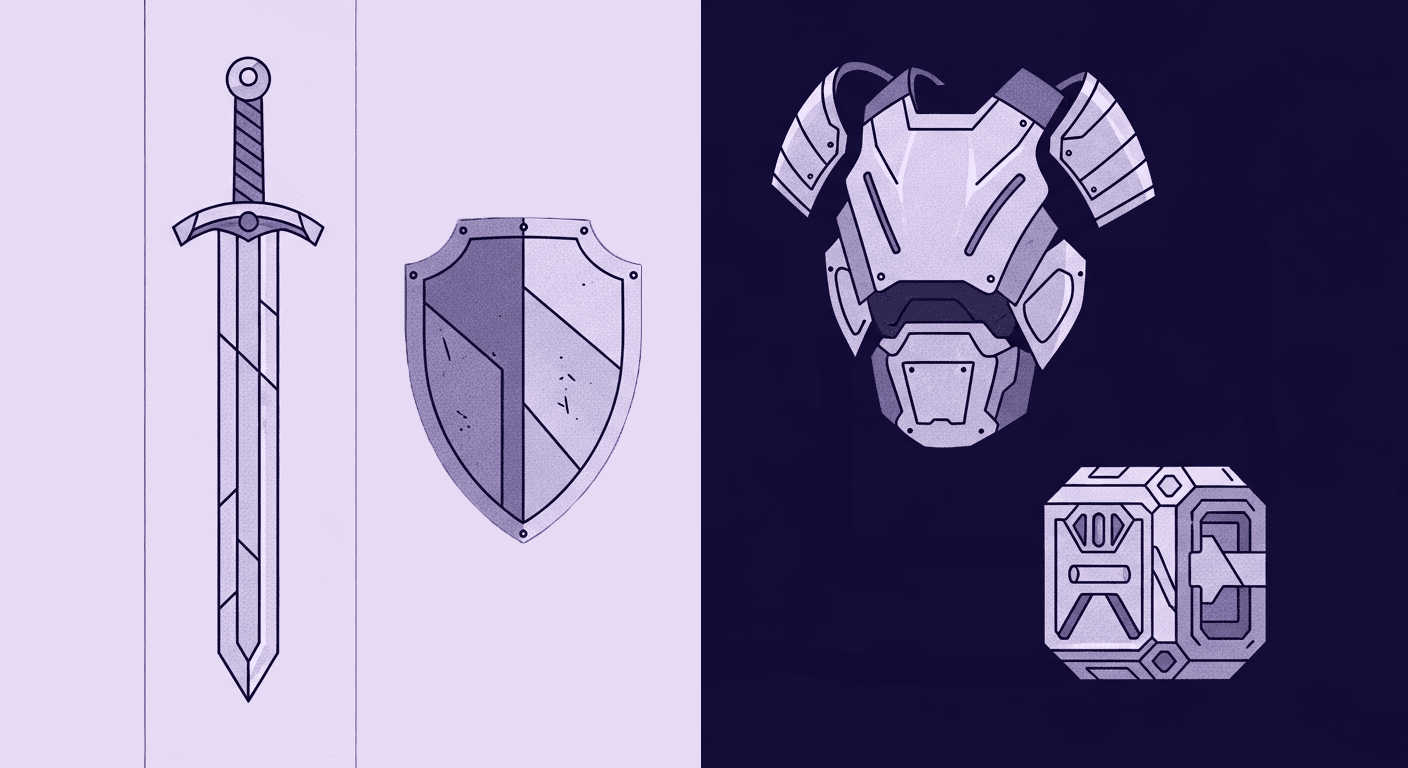
Before you can appreciate how metal textures are made, you have to understand why they matter so much. Metal isn’t just a surface finish in games; it’s a world-building device that shapes tone, emotion, and meaning. These materials quietly define how advanced, damaged, futuristic, or ancient a game feels, often before the player even moves.
More than just shine: How metal textures improve game visual realism
Metal textures aren’t just there to make things look shiny. They’re one of the most powerful tools in a game artist’s toolkit for telling a story without a single word of dialogue. They set the entire mood of a world before you even take your first step.
Think about the difference between a gleaming, sterile sci-fi corridor in Mass Effect and the grimy, rusted-out industrial hellscape of Fallout. The first uses clean, brushed aluminum and polished chrome to communicate advanced technology, order, and precision. The second uses pitted, corroded steel and decaying iron to scream neglect, survival, and a world long past its prime. Both are metal, but they feel worlds apart. That’s the power of texture in establishing mood and atmosphere.
Beyond mood, metal is a brilliant tool for guiding the player’s eye. In a dimly lit environment, the subtle glint off a metal keycard, a discarded weapon, or a weak point on an enemy’s armor is often all you need. That specular highlight acts like a subconscious signpost, drawing your attention and telling you, “Hey, look here. This is important.” It’s an elegant, diegetic way to direct gameplay without a clunky UI arrow.
So, how do artists achieve this level of believability? The magic behind modern metal textures in game development is a system called Physically Based Rendering. You don’t need a degree in physics to get it. PBR is essentially a set of rules that helps artists create materials that react to light the way they would in the real world. For metals, it boils down to two simple but critical properties:
- Metalness: A straightforward value that asks, “Is this surface a metal or not?” It’s usually a black or white choice, which simplifies the process immensely.
- Roughness: This is where the artistry lives. Roughness defines how scattered light is when it hits a surface. A low roughness value gives you a perfect mirror-like reflection (think polished chrome). A high roughness value gives you a dull, matte finish (like sandblasted aluminum).
By tweaking just these two parameters, artists can create virtually any metal imaginable. This system is the reason why a steel sword in The Witcher 3 looks and feels so different from a gold coin; the light just knows how to behave. Now that we understand why these textures are so fundamental, let's explore where you’ll find them hard at work.
The where: Common applications of metal textures in game development
Once you start paying attention, metal surfaces are everywhere in game worlds, from towering environments to the smallest collectibles. Whether it’s infrastructure, weaponry, character gear, or even UI elements, metals serve as anchors that communicate realism, history, and utility. Each surface has a narrative purpose, and it’s applied strategically to build cohesive spaces players instinctively understand.
Crafting believable worlds: Game environment texture techniques
Walk through any memorable game world, and you’re walking through a masterclass in environmental texturing. Metals are the backbone of these spaces, providing structure, detail, and history. They are a core component of effective game environment texture techniques.
In architectural elements, metals define the genre. The iconic I-beams and corrugated sheet metal walls of an industrial warehouse immediately ground you in a modern or post-apocalyptic setting. In contrast, the sweeping, iridescent alloys of a futuristic cityscape like Cyberpunk 2077's Night City sell the fantasy of a technologically advanced, and often dystopian, future. These broad structural surfaces are the canvas. The details are in the props and assets scattered within them.
A discarded aluminum can, dented and scuffed, tells a story of recent activity. The intricate brass and copper machinery in a steampunk world hints at a different kind of technological evolution. Even something as mundane as a stainless steel countertop in a kitchen or a ventilation duct running along a ceiling adds a layer of authenticity that players feel, even if they don't consciously notice it. These small touches accumulate to build a cohesive and believable world.
Arming the player: Weapons, armor, and character assets
Nowhere is the storytelling power of metal more apparent than in the player character and their equipment. The material of a weapon or a piece of armor is a shorthand for its quality, origin, and function.
This is all about differentiating materials to manage player expectations. A freshly forged steel longsword should have a clean, sharp sheen with subtle forging marks, communicating its reliability and craftsmanship. An ancient, rusted iron axe found in a tomb feels brittle and less dependable just by looking at it. High-fantasy games often use fantastical metals like Mithril or Adamantine, giving them unique reflective properties and colors to signify their rarity and power. This visual language is instant and universal.
But it gets even better when artists use wear and tear to communicate gameplay mechanics and history. A pristine, unscratched set of armor tells you its wearer is inexperienced or has avoided combat. A shield covered in deep gouges and dents belongs to a seasoned veteran. Rust creeping in from the edges of a breastplate might suggest a debuff or that the armor needs repair. These details transform static models into dynamic objects with a tangible past, connecting the player more deeply to their character and gear.
Enhancing the interface: UI and HUD elements
It’s easy to overlook, but metal textures play a huge role in the user interface (UI) and heads-up display (HUD) of many games. A well-designed UI should feel like a natural extension of the game world, and metal textures help bridge that gap.
In a sci-fi game like Destiny 2, menus often feature brushed metal frames and buttons with a subtle metallic sheen. When you hover over an option, it might flare with a polished highlight. This creates a cohesive, tactile user experience that feels like you're interacting with a physical piece of technology from that universe. It's a small detail, but it prevents the UI from feeling like a disconnected, flat overlay.
Fantasy games do this too, using gold leaf, tarnished silver, or wrought iron textures for menu borders, health bars, and inventory slots. It reinforces the game's aesthetic and makes navigating menus feel as immersive as exploring the world itself. We’ve seen where metals show up, but how do artists actually craft these surfaces from scratch?
The how: Techniques for creating realistic game graphics
Understanding the impact of metal textures sets the stage, but the real magic happens in how they’re made. Modern game artists rely on a combination of physics-driven render engines, layered texture maps, and powerful material-authoring tools to create metals that react believably to light. This section breaks down the workflows and tools that transform raw models into convincing, story-rich surfaces.
What are the best practices for creating metal textures?
So, you want to make a believable metal surface. Where do you start? It’s less about being a perfect painter and more about understanding how materials behave. It comes down to a few key maps and a thoughtful workflow, cornerstones of realistic game graphics.
The most important layers in your texture sandwich are the roughness and metallic maps we touched on earlier. The metallic map is your foundation; it’s a simple mask telling the game engine, “This part is metal, this part isn’t.” But the roughness map is where the magic happens. A single piece of metal is rarely uniform. The edges might be scuffed and dull (higher roughness), while the flat surfaces remain polished (lower roughness). Fingerprint smudges, streaks from cleaning, and tiny scratches all create subtle variations in the roughness map that break up reflections and sell the realism.
Next comes the art of weathering. A perfectly clean object often looks fake. Artists build up history in layers:
- Scratches & dents: These reveal the raw, brighter metal underneath a painted or treated surface.
- Rust & corrosion: This effect often accumulates in crevices where water would gather, telling a story about the object's exposure to the elements.
- Dirt & grime: Like rust, this builds up in occluded areas, grounding the object in its environment.
When it comes to creating these effects, artists generally follow one of two workflows: procedural or hand-painted. A procedural workflow, using tools like Substance Designer, generates these details using algorithms. It’s incredibly fast, consistent, and fantastic for photorealism. A hand-painted workflow, common for stylized games like World of Warcraft, gives the artist complete control to create exaggerated, expressive details that fit a specific art style. Neither is better; they’re just different tools for different creative goals.
How to create realistic metal textures for video games
Getting from a blank 3D model to a fully textured asset involves a standard set of tools and a constant balancing act. If you're wondering how to create realistic metal textures for video games, the answer lies in the toolchain.
Most professional artists today use a suite like Adobe’s Substance 3D Painter. It allows them to paint directly onto the 3D model in real-time, layering materials and weathering effects just like we discussed. You can literally drag a rusted steel material onto your model and then use smart masks to automatically add edge wear and dirt in the crevices. Another popular tool is Quixel Mixer, which excels at blending high-resolution scanned textures from the real world to create incredibly realistic surfaces. These tools have revolutionized 3D game visual design by making photorealism accessible.
But creating beautiful textures is only half the battle. You also have to make sure the game runs smoothly. A single 4K texture set can eat up a surprising amount of memory. Artists must constantly balance texture resolution with performance budgets. They use techniques like mipmapping (creating smaller versions of a texture to show at a distance) and sharing texture sheets (packing multiple objects' textures into one larger image) to optimize.
Finally, it’s crucial to remember that a metal texture is nothing without good lighting. The way light reflects off a metallic surface is what ultimately sells the illusion. This is why metallic surface visualization is so dependent on the lighting environment. Game engines use Image-Based Lighting (IBL), often from an HDRI (High Dynamic Range Image), to cast realistic ambient light and generate the reflections that make metals pop. A great metal texture in bad lighting will always look flat and unconvincing. These principles, honed in the virtual world, have powerful implications for designing physical products.
The bridge: From game worlds to product design
Here’s where things get really interesting: the same techniques used to build virtual armor, spacecraft, or cityscapes are now reshaping how physical products are designed. By borrowing game-ready workflows, industrial designers can prototype finishes, simulate wear, and make smarter aesthetic decisions long before manufacturing begins. What was once purely a gaming pipeline has become a valuable asset for real-world innovation.
What game texturing can teach industrial R&D
For years, industrial design and game development have run on parallel tracks. But the lines are blurring, and the sophisticated techniques used to create metal textures in game development offer incredible value for product R&D.
Think about rapid prototyping. Traditionally, exploring different finishes for a new product. say, a camera body, meant creating multiple expensive physical models. One in brushed aluminum, one in anodized black, one in a matte titanium finish. This is slow and costly. Today, you can use the exact same PBR texturing workflow as game artists to create a photorealistic digital twin of that camera. Stakeholders can see, in a virtual environment that mimics real-world lighting, precisely how each finish will look and feel. Decisions can be made in hours, not weeks, saving tremendous amounts of time and money before a single piece of metal is ever machined.
It goes even deeper with simulating material aging and stress. Game artists are masters of making things look old and worn. They use procedural tools to simulate how paint chips at the edges, how surfaces scuff from repeated contact, and how rust forms in exposed areas. This isn't just an artistic effect; it’s a predictive tool. An R&D team can apply these same algorithms to a product's 3D model to visualize how it will wear over five years of use. This can reveal potential design flaws, like a coating that will wear off too quickly on a high-contact area, long before the product goes into manufacturing.
Ultimately, this is about applying the principles of visual storytelling to product aesthetics. The texture of a product communicates its value, durability, and purpose. The cool, bead-blasted finish of a high-end laptop suggests precision and performance. The rugged, powder-coated texture on a power tool communicates durability. By leveraging the tools and techniques from game development, industrial designers can tell a more compelling story, test their ideas faster, and build better, more resilient products.
So, what's the takeaway?
At the end of the day, the line between a digital asset and a physical product is getting blurrier, and that’s a huge opportunity. It’s easy to look at the stunning visuals in a game and see them as just that: digital art. But the real magic here isn’t just in making pretty pictures. It’s about treating a texture as a digital material prototype.
Think of it as a complete recipe for a surface, how it reflects light, where it scuffs and wears, and the story it tells. This is the workflow that lets you test a dozen finishes, from bead-blasted to anodized, before a single physical model is made. It’s how you can visualize five years of wear and tear on a handle before it even leaves the drawing board.
The tools and techniques born in game development aren't just for building fantasy worlds anymore. They’re for building better, more resilient, and more compelling products in the real one. You’ve got the vision. Now you’ve got the toolkit.

Max Calder
Max Calder is a creative technologist at Texturly. He specializes in material workflows, lighting, and rendering, but what drives him is enhancing creative workflows using technology. Whether he's writing about shader logic or exploring the art behind great textures, Max brings a thoughtful, hands-on perspective shaped by years in the industry. His favorite kind of learning? Collaborative, curious, and always rooted in real-world projects.
Latest Blogs

The Indie Dev Guide to CC0 PBR Textures: Stop Searching, Start Cr...
PBR textures
AI in 3D design

Mira Kapoor
Jul 10, 2026

Sourcing Free Game Textures: Navigating PBR Pipelines and Stylize...
PBR textures
Game textures
Mira Kapoor
Jul 6, 2026

Sculpting with Sunlight: The Architectural Physics of Facade Text...
Texture creation
AI in 3D design

Max Calder
Jul 1, 2026

Accelerate you workflow
with automated PBR texture generation
Enjoy creative freedom with AI powered texture creation
 Texturly
Copyright © 2026 Texturly, Asha Technology Labs Pvt. Ltd. All rights reserved