Photorealistic Metal, Demystified: A Deep Dive into Rendering Engine Performance
By Max Calder | 26 December 2025 | 19 mins read
Table of contents
Table of Contents
Ever created the perfect brushed aluminum in Substance Painter, only to watch it turn into a flat, noisy mess in your final render? We've all been there, wondering what got lost in translation. In this deep dive, we’re going to unpack exactly why that happens. We’ll compare how the major rendering engines, from real-time powerhouses like Unreal to offline titans like V-Ray, handle the unique physics of metal surfaces, so you can get predictable, photorealistic results. Because it’s not just about finding the single best engine; it’s about understanding their different philosophies on light, reflections, and speed. Mastering this is the key to choosing the right tool for the job, whether you’re rendering an interactive car configurator or a flawless hero shot for a print ad.
Why rendering metal is so tricky
Getting metal to look right can feel like black magic. You drop in a texture that looks perfect in Substance Painter, and in your render, it’s a noisy, flat, gray mess. What gives?
It’s not you; it’s physics. Most materials we render, think wood, plastic, or fabric, have what’s called diffuse reflection. Light hits them and scatters in a million directions. It’s chaotic, but that chaos is what gives the surface its visible color.
Metal is the opposite. It’s a diva. It has almost zero diffuse reflection. Instead, it uses specular reflection. Light hits it and bounces off in a predictable direction, like a billiard ball hitting the edge of a table. This is why metal reflects its environment so clearly. Its color doesn't come from the material itself, but from what’s around it.
This simple difference is the source of our biggest headaches.
- Noise and fireflies: Because light has to bounce so precisely to reach the camera, many rays get lost. Your rendering engine sends out thousands of rays, and only a few might hit a light source and return. The result? Splotchy, grainy renders, especially in dark reflections. Fireflies, those stray, super-bright pixels, happen when one lucky ray hits an intensely bright spot, skewing the whole pixel’s value.
- Inaccurate reflections: Since metal is a mirror, it’s unforgiving. If your environment map (HDRI) is low-resolution or your surrounding scene is empty, your metal will look bland and fake. It has nothing interesting to reflect.
Getting metal right isn't about finding the perfect texture. It’s about understanding how to manage light, reflections, and the subtle imperfections that sell the illusion. Once you get that, you're halfway there.
Unpacking the physics: What makes metal surfaces different from others
So, what's really happening when light hits a metal surface? Unlike dielectric materials (non-conductors like plastic or wood), metals are electrical conductors. When light, an electromagnetic wave, hits a metal, its electrons are free to move and vibrate in response. This interaction causes the light to be absorbed and re-emitted almost immediately from the surface, with very little light scattering underneath.
This is why you don't see the color of metal in the same way you see the color of a plastic toy. The perceived color of gold, for instance, comes from the fact that it absorbs blue light and reflects yellow and red wavelengths. But all of this happens right at the surface level.
- Light reflection: For a perfectly smooth, mirror-like metal (think polished chrome), light reflects at an angle equal to the angle it arrived. This is pure specular reflection.
- Light scattering: For a rougher metal (like brushed aluminum), the surface is made of microscopic grooves and bumps. Each tiny surface still reflects specularly, but because they're all angled differently, the light scatters, though in a more directional way than a truly diffuse surface.
- Light absorption: No material is a perfect reflector. Metals absorb some light energy, which is converted to heat. This is what gives different metals their unique tint.
Common rendering challenges: Noise, fireflies, and inaccurate reflections
These physical properties lead directly to common struggles in 3D rendering software. Let's break them down:
- Noise: In path tracing, the engine sends rays from the camera to see what they hit. With metals, many of these rays bounce off and fly into empty space, never hitting a light source. The engine has to work much harder, using more samples, to find enough successful light paths to create a clean image. Until it does, you get noise.
- Fireflies: These are the bane of every artist rendering interiors or jewelry. A firefly is a pixel where, by pure chance, a single ray path found an incredibly bright, small light source. This one path contributes so much energy that the pixel blows out to pure white. It's a statistical anomaly that creates a huge visual artifact.
- Inaccurate reflections: This is less a rendering bug and more a setup issue. Because metals are defined by their reflections, they are ruthless critics of your scene's lighting. A low-quality HDRI will result in blurry, pixelated reflections. A scene with no interesting objects will produce sterile, boring metal surfaces. Your metal is only as good as the world you build around it.
Mastering metal isn’t just a texturing job; it’s a lighting and scene-staging job. And that's before we even get to the material itself.
What goes into a photorealistic metal texture
If you’ve spent any time in modern 3D, you’ve heard of PBR, or Physically Based Rendering. It’s the standard for a reason: it gives us a consistent, predictable way to build materials that react realistically to light. Think of it less as a set of rules and more as a common language that different metal textures rendering engines can understand.
For metals, the PBR workflow is beautifully simple and revolves around a few key texture maps.
A quick guide to PBR (Physically Based Rendering) for metals
- Albedo (or base color): This map defines the raw color of a surface. For non-metals, it’s straightforward, the color of wood, the pigment of paint. But for raw metals, the albedo is usually set to pure black. Why? Because, as we discussed, the color of metal comes from its tinted reflection, not a diffuse color. The albedo for materials like gold or copper will contain that color information, but you won't see it until light hits it.
- Metallic: This is the on/off switch. It’s a grayscale map that tells the engine: Is this spot a metal or not? A value of 1 (white) means it's 100% metallic. A value of 0 (black) means it's a dielectric (non-metal). You should almost always use pure 0 or 1 values, not in-between grays, as materials are rarely semi-metallic in the real world. For a car's body, the painted parts would be 0, while the chrome trim would be 1.
- Roughness (or Glossiness): This is the most important map for selling realism. It controls how rough or smooth the surface is at a microscopic level. A roughness value of 0 is a perfect mirror (polished chrome). A roughness value near 1 is a completely matte, diffuse surface (think sandblasted aluminum). All the interesting details, smudges, scratches, and variations live in this map.
Going deeper: Anisotropy for brushed effects and clear coats for car paint
For an automotive specialist, the standard maps are just the starting point. Two other parameters are critical for achieving photorealistic results:
- Anisotropy: This controls the direction of reflections. Think about the bottom of a steel pan or a brushed aluminum dashboard. The highlights don't look like perfect circles; they are stretched and streaked. Anisotropy simulates those microscopic grooves, elongating the reflections along a specific axis. You typically need an anisotropy map and a direction map to tell the engine which way the brush strokes are going.
- Clear coat: This is essential for car paint. It simulates a thin, transparent layer of lacquer over the base material. The rendering engine treats this as a second specular layer, creating two sets of reflections: a sharp one from the clear coat and a slightly rougher one from the paint underneath. This is what gives car paint its signature depth and allows you to render those tiny metallic flakes suspended beneath a glossy finish.
Why material libraries aren't always plug-and-play across different 3D rendering software
Here’s a common workflow trap: you buy a great-looking metal material from a library, but when you drop it into V-Ray, it looks different from how it did in the Corona preview. Or worse, you try to move it to Unreal Engine, and it’s a complete mess.
This happens because even though most engines use the PBR standard, they aren't identical. Each engine’s shader, the code that calculates the final look, has its own unique interpretation of how roughness, metallic, and other maps interact. Some engines use a Roughness workflow, while others use a Glossiness workflow (which is just the inverse). A material built for one might need its roughness map inverted to work in the other.
Furthermore, advanced features like clear coats and anisotropy are implemented differently from engine to engine. There is no universal standard for a car paint shader. You can't just plug maps in and expect a perfect 1:1 match. Always expect to spend some time tweaking and converting materials when moving between different pieces of 3D rendering software.
Comparing how metal texture rendering engines work
Now that we know what goes into a metal texture, let’s talk about the tools that bring it to life. Not all metal texture rendering engines are created equal. They fall into different camps, each with its own philosophy on how to balance speed, quality, and workflow. For an artist working with complex metal surface visualization, understanding these differences is key to an efficient pipeline.
Real-time vs. Offline engines: The trade-off between speed and perfect realism
This is the biggest dividing line in the world of 3D rendering. It's a fundamental choice between instant results and pixel-perfect accuracy.
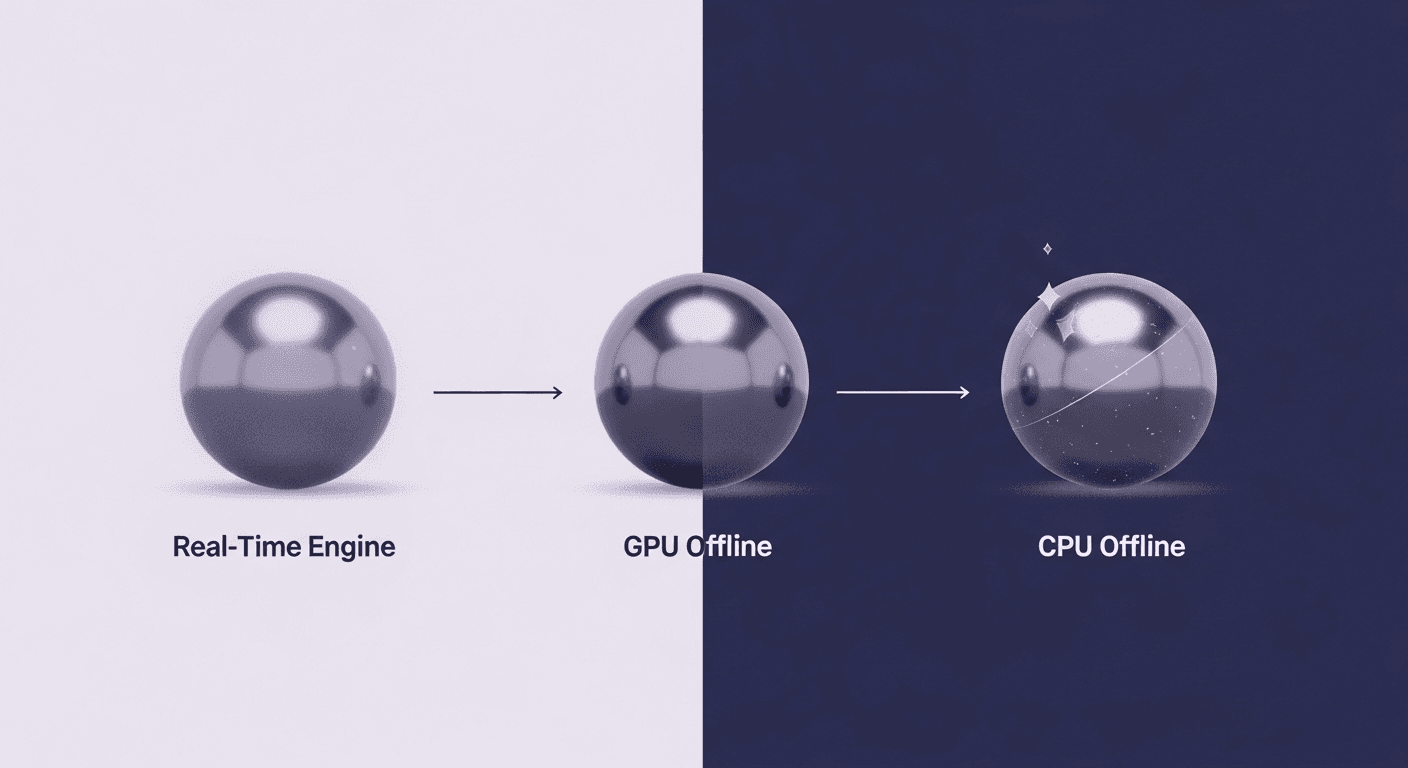
- Real-time engines (Unreal Engine, Unity, D5 Render): These are built for speed. They're designed to render a new frame in a fraction of a second (ideally 16-33 milliseconds) to create the illusion of smooth motion. To achieve this, they use clever shortcuts and approximations for things like reflections and global illumination. For metal rendering, this means they might use screen-space reflections (reflecting only what the camera can already see) or simplified ray tracing.
- Best for: Interactive design reviews, virtual reality experiences, and quick look-dev where you need to see changes instantly. The realism is incredible and getting better every day, but it may not hold up to the scrutiny of a final, high-resolution print ad.
- Best for: Interactive design reviews, virtual reality experiences, and quick look-dev where you need to see changes instantly. The realism is incredible and getting better every day, but it may not hold up to the scrutiny of a final, high-resolution print ad.
- Offline engines (V-Ray, Corona, Arnold, Redshift): These are built for uncompromising quality. They are typically path tracers, meaning they simulate the physical behavior of light with much greater accuracy. They'll trace billions of light paths to resolve complex reflections, soft shadows, and subtle color bounces. This process takes time, anywhere from minutes to hours per frame.
- Best for: Final marketing visuals, print campaigns, and hero shots where every reflection and highlight must be perfect. The results are physically accurate and considered the gold standard for photorealism.
For an automotive artist, the choice often isn't one or the other; it’s about using the right tool for the right stage of the project. You might use Unreal Engine for client walkthroughs and then switch to V-Ray for the final beauty renders.
GPU vs. CPU rendering: Which is better for complex metal surface visualization?
Within the world of offline engines, another battle is raging: rendering on your computer's main processor (CPU) versus its graphics card (GPU).
- CPU rendering: This is the traditional method. CPUs are workhorses, great at handling complex logic and massive amounts of data. They can chew through scenes with enormous texture files, intricate geometry, and dozens of different shaders without breaking a sweat. Their main limitation is that they have fewer cores, so the work happens sequentially, which can be slower.
- Strengths: Stability, can handle huge scenes without running out of memory, and supports every feature an engine has to offer.
- Strengths: Stability, can handle huge scenes without running out of memory, and supports every feature an engine has to offer.
- GPU rendering: This is all about raw, parallel processing power. A modern GPU has thousands of small cores designed to do one thing very well: math. This makes them incredibly fast at the kind of calculations required for ray tracing. The primary bottleneck is VRAM (the GPU's onboard memory). If your scene's textures and geometry exceed the VRAM, rendering will either fail or slow to a crawl.
- Strengths: Incredible speed, especially for scenes with lots of lighting and reflective materials like metal. Great for iterative look development where you need fast feedback.
For metal surface visualization, GPUs are often the preferred choice due to the sheer speed of resolving noisy reflections. However, a final hero shot of a car with 16K textures for every surface might push VRAM limits, making CPU a more reliable, if slower, option. It's a trade-off between the speed of iteration and the capacity for complexity.
The performance deep dive: Stress-testing metal shaders
Theory is great, but let's get practical. How do these different engine types actually handle the specific challenges that automotive artists face every day? We’ll break down three common scenarios to see where certain tools shine, and others might stumble. This is where we compare metal texture rendering performance across engines in a real-world context.
Scenario 1: Brushed aluminum & anisotropic reflections
Brushed aluminum is a staple for trim, dashboards, and rims. Its defining feature is anisotropy, those beautiful, stretched highlights that follow the direction of the brushing.
- The challenge: Accurately rendering anisotropy requires the engine to do more than just calculate a reflection. It has to understand the microscopic orientation of surface grooves and stretch the highlight accordingly. Faking it looks cheap; calculating it accurately can be computationally expensive.
- Offline engines (V-Ray, Arnold): These engines are the champions here. Their dedicated shaders for anisotropy are physically accurate. They can use a direction map (often an RGB texture) to control the brushing angle precisely, allowing for complex patterns like radial brushing on a wheel hub. The result is crisp, realistic, and holds up under close inspection.
- Real-time engines (Unreal Engine): This is trickier for real-time engines. While they have anisotropic material properties, the quality can vary. Some implementations might appear softer or less defined than their offline counterparts. Often, artists will bake the anisotropic highlight into the texture maps as a workaround, but this means the effect won't react dynamically to moving lights, which can be a deal-breaker for animations or interactive viewers.
Verdict: For hero shots of brushed metal, offline engines provide the most control and physical accuracy. Real-time engines are catching up, but may require more artistic compromises.
Scenario 2: Car paint & complex flakes
Car paint is one of the most complex materials to simulate. It’s a layered shader: a base color, a metallic flake layer, and a top clear coat. Each layer interacts with light differently.
- The challenge: The magic is in the metallic flakes. The engine needs to render thousands of tiny, reflective specks suspended beneath a glossy surface, each catching the light at a different angle. This creates a deep, sparkling finish that’s incredibly difficult to get right.
- Specialized offline shaders (VRED, V-Ray Car Paint Mtl): Tools built for automotive visualization, like Autodesk VRED, or specialized shaders within engines like V-Ray, are unmatched here. They provide granular control over flake size, density, orientation, and color. They can simulate the full multi-layer effect with stunning realism, capturing the flop where the color appears to shift depending on the viewing angle.
- Standard real-time engines: Most real-time engines can replicate this effect using a clear coat shader and a detailed normal map to simulate the flakes. The result can be very convincing, especially from a distance. However, they may struggle to capture the subtle depth and parallax of true flakes suspended in a medium. The performance cost of accurately rendering millions of micro-facets is often too high for real-time frame rates.
Verdict: For the most photorealistic metal rendering of car paint, specialized offline shaders are the way to go. Real-time provides a very strong approximation suitable for configurators and reviews.
Scenario 3: Polished chrome & flawless reflections
Polished chrome is the ultimate test of an engine’s raw ray tracing power. There are no complex textures to hide behind; it’s all about pure, clean, noise-free reflections.
- The challenge: Rendering a perfect mirror is easy in theory, but hard in practice. The scene must be filled with interesting things to reflect, and the engine must be able to resolve those reflections without introducing noise or artifacts, especially in areas lit by indirect light.
- GPU path tracers (Redshift, Octane, V-Ray GPU): This is where GPU rendering shines. The massive parallel processing power is tailor-made for firing billions of rays to clean up reflective noise quickly. For Chrome renders, a good GPU renderer can produce a clean image orders of magnitude faster than a CPU-based equivalent, making look development a breeze.
- Real-time ray tracing (Unreal Engine 5, D5 Render): With hardware-accelerated ray tracing, real-time engines are now astonishingly good at this. They can produce beautiful, sharp reflections that are physically accurate. The main trade-off is the number of bounces and samples they can afford to calculate per frame. You might see some minor noise or simplification in complex, multi-bounce reflections compared to an offline render that has been cooking for ten minutes, but the gap is closing fast.
Verdict: For raw speed in rendering clean reflections, GPU path tracers are king. But real-time ray tracing is now a viable and incredibly powerful alternative for many use cases.
Making the call: How to choose a rendering engine for metal surfaces
So, after all that, what’s the best rendering engine for metal texture visualization? The honest answer is: it depends entirely on your project, your pipeline, and your priorities. There's no single magic bullet. But you can make a smart decision by weighing the right factors.
A simple framework for your decision: Project needs vs. engine strengths
Instead of asking "which engine is best?" ask "which engine is right for this task?" Run through this mental checklist:
1. What’s the final output?
- Interactive experience or VR: Your choice is simple. You need a real-time engine like Unreal Engine or Unity. The priority is frame rate.
- High-resolution still for print: You need perfect quality. An offline, path-traced engine like V-Ray, Corona, or Arnold is the right tool. The priority is realism.
- Animation for a TV spot: This is a gray area. GPU offline engines like Redshift or V-Ray GPU offer a great blend of speed and quality, making them animation powerhouses.
2. How important is iteration speed?
- Fast, constant feedback needed: If you’re in the early stages of design, working live with a client, or need to tweak lighting and materials constantly, the immediate feedback of a real-time engine or a very fast GPU offline engine is invaluable.
- Set it and forget it: If your scene is locked and you just need the best possible image, the slower speed of a CPU offline engine is perfectly acceptable.
3. What’s your pipeline and hardware?
- Existing software: The best engine is often the one that plugs directly into the software you already use. If you’re a 3ds Max or Cinema 4D expert, sticking with integrated renderers like V-Ray, Corona, or Redshift makes sense.
- Hardware constraints: Do you have a beastly GPU with tons of VRAM or a multi-core CPU workstation? Your hardware will heavily influence whether you lean into a GPU- or CPU-based workflow. Don't forget VRAM limitations for complex scenes with high-res textures.
Quick tips to optimize your photorealistic metal rendering workflow, no matter the tool
Choosing the right engine is only half the battle. Great results come from great workflow habits. Here are a few things you can do to improve your metal surface visualization in any software:
- Invest in high-quality HDRIs: This is the single biggest upgrade you can make. Since metals are 90% reflective, a sharp, high-dynamic-range environment map is non-negotiable. It provides the complex lighting and reflection information that brings metal to life.
- Break up perfect surfaces: In the real world, nothing is perfect. A perfectly flat, mathematically smooth chrome surface looks fake. Always add subtle imperfections. Use a very gentle noise or fingerprint texture in your roughness map to break up the reflection. A slightly warped surface from a noise modifier can also add a layer of realism.
- Don't overdo the scratches: It's tempting to cover metals in scratches and grime, but subtlety is key. For a pristine studio shot of a car, less is more. Focus on the base material properties first, and then add imperfections sparingly where they make sense.
- Test your materials in different lighting: A material that looks great in one lighting setup might fall apart in another. Always test your metal shaders under at least three different HDRIs (e.g., a bright sunny day, an overcast day, and an indoor studio) to ensure they are robust and react realistically.
So, what's the best engine for metal?
After all that, the answer is pretty clear: the best engine is the one that gets the right image in front of your client, on time. The real goal isn’t to find a single winner, but to build a smarter pipeline.
Think of it less like a competition and more like building a specialized toolkit. You wouldn’t use a socket wrench to hammer a nail. In the same way, you’ll lean on Unreal Engine for those fluid, real-time client reviews, and then turn to V-Ray or Redshift when it’s time to render that flawless, 8K hero shot for the brochure.
The real power you’ve gained isn’t knowing which engine is better; it’s understanding the why. It’s knowing that the trade-off for real-time anisotropy might be a bit of softness, or that your GPU will tear through chrome renders but might choke on a scene with dozens of 16K textures.
This knowledge is what closes the gap between the material you built and the render you deliver. It transforms your workflow from a series of guesses into a sequence of deliberate, confident decisions. You’ve got the eye for detail. Now you have the roadmap to make sure everyone else can see it, perfectly, every single time.

Max Calder
Max Calder is a creative technologist at Texturly. He specializes in material workflows, lighting, and rendering, but what drives him is enhancing creative workflows using technology. Whether he's writing about shader logic or exploring the art behind great textures, Max brings a thoughtful, hands-on perspective shaped by years in the industry. His favorite kind of learning? Collaborative, curious, and always rooted in real-world projects.
Latest Blogs

The Indie Dev Guide to CC0 PBR Textures: Stop Searching, Start Cr...
PBR textures
AI in 3D design

Mira Kapoor
Jul 10, 2026

Sourcing Free Game Textures: Navigating PBR Pipelines and Stylize...
PBR textures
Game textures
Mira Kapoor
Jul 6, 2026

Sculpting with Sunlight: The Architectural Physics of Facade Text...
Texture creation
AI in 3D design

Max Calder
Jul 1, 2026

Accelerate you workflow
with automated PBR texture generation
Enjoy creative freedom with AI powered texture creation
 Texturly
Copyright © 2026 Texturly, Asha Technology Labs Pvt. Ltd. All rights reserved