Cost vs. Quality: A Decision Framework for PBR Textures
By Mira Kapoor | 5 December 2025 | 13 mins read
Table of contents
Table of Contents
One of the biggest hidden costs in your art pipeline: the free texture. It feels like a quick win, but how often does that free asset end up costing your senior artists hours of cleanup, colour correction, and troubleshooting?
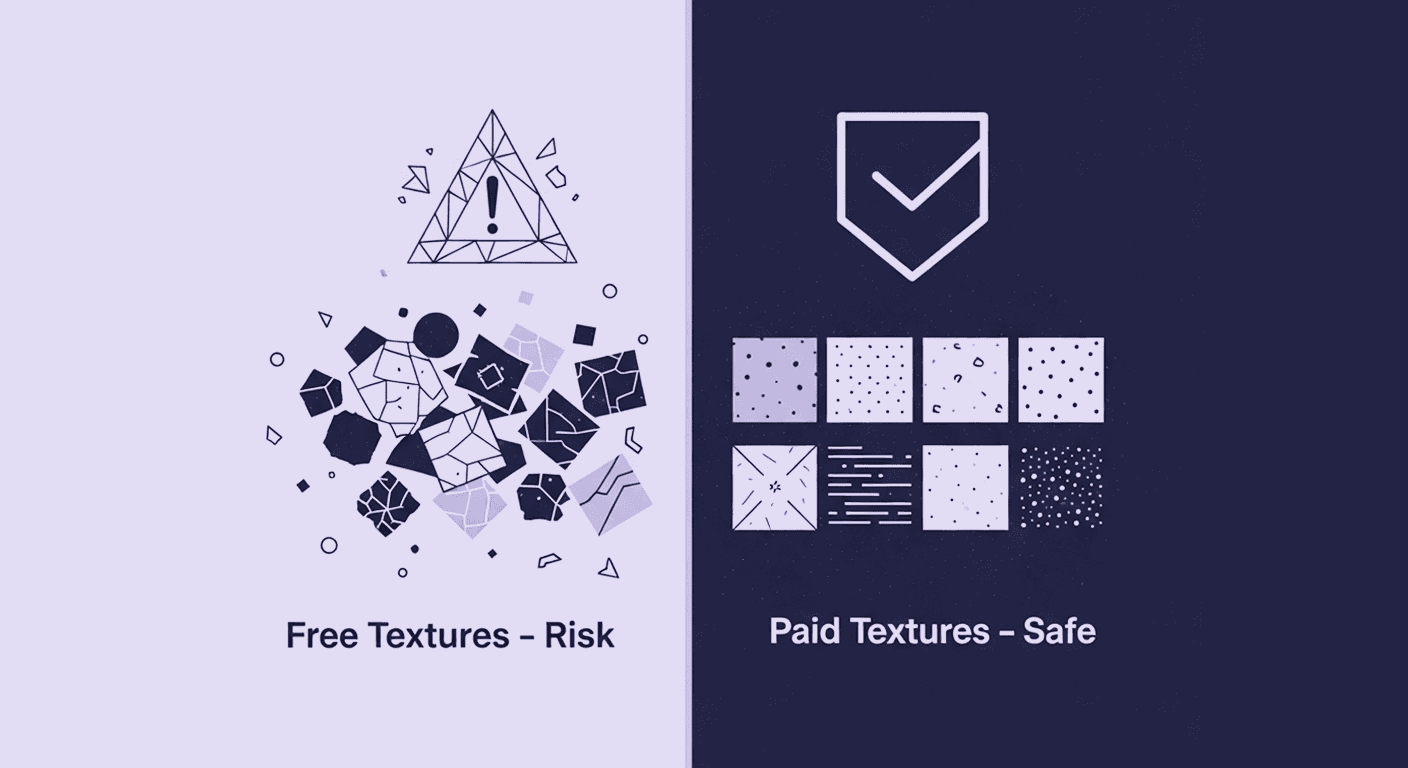
This guide breaks down the real-world differences between free and paid PBR textures, not just in visual quality, but in technical performance, artist efficiency, and the total impact on your timeline. We're moving beyond a simple pro/con list to give you a clear framework for creating a predictable, high-speed pipeline that lets your artists focus on creating, not fixing.
Framing the core decision: Beyond the price tag
Before you compare downloads or weigh subscription fees, you need to understand what’s really at stake. This isn’t a debate about cheap vs. expensive assets, it’s a structural choice that shapes your entire art pipeline. The textures you bring into your workflow determine whether your team moves with clarity and speed or wrestles with friction at every step. This section reframes the decision so you can see the true operational impact hiding beneath the surface cost.
Why texture sourcing is a critical pipeline decision for studio artists
Texture sourcing isn’t just about filling a folder with JPEGs. It’s a foundational decision that echoes through your entire art pipeline. Get it right, and you create a smooth, predictable workflow. Get it wrong, and you introduce friction, unpredictability, and hidden costs that drain your most valuable resource: your artists’ time.
Every texture an artist touches is a potential bottleneck. Is it PBR-correct? Does it tile seamlessly? Are the naming conventions a mess? These aren’t minor details; they are operational hurdles. As an artist, you’re not just managing the final look; you’re managing the efficiency of the hundreds of steps it takes to get there. A poorly sourced texture can force an artist to spend an hour fixing seams or balancing albedo values. That’s an hour they’re not sculpting a hero asset or polishing a lighting pass. Multiply that across a team and a project timeline, and the impact is massive.
This is about building a scalable system. Your texture strategy defines how quickly you can prototype, how consistently you can build worlds, and how much technical debt you accumulate. It’s the difference between a pipeline that supports creativity and one that constantly fights it.
The true cost-benefit analysis: Balancing budget, quality, and artist hours
Free textures aren’t truly free. They’re paid for with artist hours, a currency far more expensive than a subscription fee. The true cost of an asset isn’t its price tag; it’s the total time investment required to make it production-ready.
Here’s a simple breakdown:
- Search & vetting time: An artist might spend 30-60 minutes searching multiple free sites, downloading options, and testing them in-engine just to find one suitable asset.
- Fixing & cleanup time: The almost perfect free texture often needs work. Fixing tiling errors, correcting non-PBR values, or generating missing maps (like a proper Roughness map from a Gloss map) can take another 30 minutes to several hours.
- Licensing & legal time: Is that free texture really free for commercial use? Verifying a license and ensuring proper attribution takes time and carries risk. A legal issue down the line costs far more than any texture library.
Now, compare that to a paid asset. The cost is a clear, predictable line item on a budget. In exchange, you get an asset that’s been vetted, tested, and is guaranteed to work out of the box. An artist can find what they need in minutes and drop it directly into the engine. The ten dollars you spend on a professional texture might save you a hundred dollars in artist salary. That’s the real ROI.
The deep dive into free PBR textures
Not all free textures are created equal, and not all of them are liabilities. When used deliberately, they can dramatically accelerate early exploration and help teams move fast when perfection isn’t the goal. But they also come with trade-offs that aren’t obvious until you’re deep in production. This section breaks down where free textures shine and where they quietly erode your pipeline’s stability.
The pros: When and where free resources excel in a professional pipeline
Free textures aren’t the enemy. They’re a tool, and like any tool, they have a specific purpose in a professional pipeline. Using them strategically is what separates an efficient workflow from a chaotic one.
Here’s where free resources shine:
- Rapid prototyping and look development: When you’re in the early stages of blocking out a level or testing a visual concept, you need speed, not perfection. Free textures are perfect for establishing scale, colour palettes, and lighting without committing to final assets. An artist can quickly kitbash a scene in Unreal Engine to see how a space feels before the hero assets are even modeled.
- Non-critical background assets: Think about assets that are far from the camera, part of a large-scale environment, or will be covered by weather effects or heavy post-processing. A distant rock face or the floor of a dimly lit garage doesn’t need 4K, perfectly scanned material. A good-enough free texture often does the job without eating into the budget or VRAM allocation for more important visual elements.
The hidden costs: Analyzing the impact on workflow and quality
Beyond the artist hours we’ve already discussed, free textures introduce a level of unpredictability that can destabilize a production pipeline. The hidden costs are about risk and inconsistency.
First, there’s the scavenger hunt effect. Artists pull assets from dozens of different creators, each with their own standards. You end up with a hodgepodge of resolutions, naming conventions, and map types. One texture might have a DirectX normal map, another OpenGL. One uses a Roughness map, another a Gloss map. This forces artists to constantly switch gears, converting and renaming files just to maintain a semblance of order. It’s a death by a thousand paper cuts for your workflow.
Then there’s the quality gamble. Many free textures have technical flaws that aren’t immediately obvious.
- Bad seams: Tiling errors that break immersion.
- Inaccurate albedo: Values are often not PBR-correct, with highlights that are too white or shadows that are too black, which throws off the lighting in your entire scene.
- Poorly generated normals: Many are created from photo-to-normal software, resulting in noisy, inaccurate surface detail instead of clean, scanned data.
Finally, the most significant risk is unclear usage rights. The world of free is a minefield of different licenses. CC0 is great, but many are CC-BY, requiring attribution that can be complicated in a game or cinematic. Worse, some assets are uploaded by users who don’t even own them. Using a texture with a murky license in a commercial project is a legal time bomb. You’re not just downloading a texture; you’re potentially inheriting a lawsuit.
Unpacking the value of paid PBR textures
Paid textures aren’t about luxury, they’re about predictability, consistency, and removing variables that steal hours from your artists. When a texture behaves correctly under every lighting scenario and drops cleanly into your engine, that reliability becomes a force multiplier. Here, we explore why professional libraries justify their investment and how they fundamentally reshape your team’s velocity.
The argument for investment: How professional texture resources boost efficiency
Investing in professional texture resources is an investment in predictability. You’re not just buying pixels; you’re buying certainty. Certainty that the texture is high-quality, PBR-accurate, and legally sound. This certainty is what unlocks speed and creativity for your team.
Here’s the breakdown of what that investment gets you:
- Guaranteed quality and PBR accuracy: Paid texture libraries live and die by their reputation. Their assets are meticulously scanned, calibrated, and tested. Albedo values are correct. Normals are clean. Roughness maps convey material properties accurately. This means when your artist builds a material, it behaves predictably under any lighting condition. No more wrestling with materials that look great in one scene and fall apart in another.
- Consistency is king: Professional libraries provide assets with consistent resolution options (1K, 2K, 4K, 8K), uniform naming conventions, and a complete set of required maps. This standardization eliminates the guesswork and cleanup, allowing artists to work faster and more methodically. It also ensures a consistent visual language across your entire project.
- Seamless integration with tools: Top-tier services like Megascans or Substance 3D Assets offer plugins and integrations that pipe textures directly into tools like Unreal Engine, Unity, and Substance Painter. This completely removes the download-unzip-import-setup cycle. Artists can browse and apply materials directly in-engine, a massive workflow accelerator.
Comparing paid texture library selection models
Once you decide to invest, you need the right model. The goal is to match your studio’s consumption habits to the right payment structure. This is a key part of your texture library selection strategy.
- Subscription (e.g., Quixel Megascans, Substance 3D Assets): This is the all-you-can-eat buffet. For a recurring monthly or annual fee, your team gets access to the entire library. This model is perfect for studios with high-volume, continuous production needs. It encourages experimentation and gives artists the freedom to try different options without worrying about per-asset costs.
- Perpetual license / Credit packs (e.g., Poliigon, RD-Textures): Here, you buy assets or credits to own specific textures forever. This is ideal for building a curated, internal library of core materials that you’ll reuse across multiple projects, things like common wood, metal, and concrete types. It’s a higher upfront cost per asset, but it can be more economical in the long run for foundational materials.
- Asset packs (e.g., Marketplace Stores, Gumroad): This is the à la carte option. You buy a themed pack of assets, a "sci-fi surfaces" pack, or a "forest ground" pack for a one-time fee. This is highly effective for project-specific needs when you need to quickly acquire a set of cohesive materials for a particular environment or biome without committing to a larger library.
The data-backed comparison: Free vs Paid PBR textures
A true evaluation goes deeper than gut instinct or anecdotal experience. The meaningful differences live in the maps, the data quality, the texel density, and how these assets behave inside a real rendering pipeline. This section puts free and paid textures under a technical microscope to expose the subtle but critical distinctions that determine whether your scene holds up or falls apart under scrutiny.
A technical 3D texture quality evaluation of maps and resolution
Let’s move beyond anecdotes and conduct a proper 3D texture quality evaluation. When you place a free and a paid texture side-by-side, the differences are often in the data, not just the initial visual impression.
- Albedo maps: A professional albedo is captured with cross-polarized lighting to eliminate shadows and specular highlights. It represents pure surface colour. Many free textures are just de-lit photos, leaving baked-in ambient occlusion or reflections. This breaks the PBR model and causes materials to react incorrectly to dynamic lighting.
- Normal & Roughness maps: This is where the difference is starkest. Paid textures from scanning rigs capture incredibly precise surface detail, resulting in clean, accurate normal maps. Free alternatives are often generated from images, leading to mushy, noisy, or overly simplistic normals. Similarly, a paid roughness map is calibrated to the material’s real-world properties, while a free one is often an inverted, contrast-adjusted version of the colour map, a guess, not data.
- Texel density and resolution: Paid libraries offer consistent resolutions that hold up under scrutiny. A 4K paid texture is sharp and detailed. A 4K free texture is often just an upscaled 1K photo, full of compression artifacts and soft details. Consistency in texel density is key to a professional-looking scene, and paid libraries make this easy to maintain.
The performance impact of texture quality on 3D rendering
Your decisions about texture sourcing directly affect frame rates. The impact of texture quality on 3D rendering is a critical consideration for any real-time application, especially in gaming.
High quality doesn’t have to mean unoptimized. In fact, professional assets are often more performant because they’re built with optimization in mind.
- VRAM usage and load times: Free textures often come in one oversized format, like a multi-megabyte uncompressed TGA. Professional resources provide options, JPEGs for less critical assets, or optimized formats for specific engines. More importantly, they provide a full suite of resolutions (1K, 2K, 4K), allowing you to use the right texture for the right job and save precious VRAM. You’re not forced to use a 4K map on a tiny background prop.
- Mipmapping and streaming: This is a subtle but crucial point. Mipmaps are lower-resolution versions of a texture used for objects far from the camera. Poorly authored textures, especially those with high-frequency noise or baked-in lighting, generate terrible mips. This causes distracting shimmering and moiré patterns as the camera moves. Paid, scanned textures are clean, leading to stable and artifact-free mipmaps, which are essential for open-world games and virtual production.
Building a strategic sourcing workflow
Choosing between free and paid textures shouldn’t be a coin toss or a subjective call from artist to artist. You need a structured, scalable framework that removes guesswork and creates a repeatable sourcing system your entire studio can rely on. This section outlines how to build that framework, balance speed with quality, and set up a hybrid model that maximizes both creativity and efficiency.
How to choose between free and paid PBR textures: A decision framework
So, how to choose between free and paid PBR textures on a daily basis? It’s not an all-or-nothing decision. It’s about creating a smart, tiered approach. You need a simple framework that empowers your artists to make the right call without constant oversight.
Here’s a framework you can implement immediately:
1. Define asset tiers:
- Tier 1: Hero assets: Anything the player interacts with or sees up close (e.g., main characters, key weapons, interactive props). Rule: Always use high-quality paid or custom-authored assets. No exceptions.
- Tier 2: Primary environmental assets: Major structural elements that define the visual identity of a scene (e.g., walls, floors, large foliage). Rule: Default to paid assets for quality and consistency. Vetted, top-tier free assets can be considered with lead approval.
- Tier 3: Secondary / Background assets: Distant objects, small props with little screen time, or surfaces for initial blockouts. Rule: Ideal for free assets. The quality bar is lower, and speed is the priority.
2. Factor in project scope & timeline: On a tight deadline? A subscription service that offers plug-and-play assets is your best friend. For a project with a unique art style, a budget for custom-shot or perpetually licensed textures might be more appropriate.
Creating a hybrid model: Blending free and paid digital assets for maximum ROI
Your end goal is to build a powerful, efficient, and cost-effective hybrid model. This involves treating your studio’s texture collection as a managed, internal library, a core piece of your studio’s IP.
- Establish studio standards for texture acquisition: Create a simple document outlining your asset tiers and the approved sources for each. Designate a lead or a small committee to approve any new texture purchases or the inclusion of a new free resource into the central library. This prevents the "digital wild west" of everyone downloading from different places.
- Build a curated, reusable internal library: Use a version control system like Perforce to manage your collection of digital assets. When you purchase a texture pack or a perpetual license, it gets added to this library, where it’s organized, tagged, and accessible to the entire team. Over time, you build a powerful collection of go-to materials that accelerates every new project.
- Empower, then trust: Once the framework is in place, trust your artists. The goal isn’t to micromanage, but to provide clear guardrails that help them make smart, efficient choices. A well-defined system reduces decision fatigue and frees them up to focus on what they do best: creating stunning worlds.
From texture hunter to pipeline architect
So, the choice isn’t really about “free vs. paid.” It’s about building a predictable pipeline in a business that thrives on predictability. Every texture decision is a trade-off between a line item on a budget and your artists’ most valuable asset: their time.
The framework in this guide isn’t just a suggestion; it’s your starting point for building a smarter system. Think of your texture library less like a folder and more like a strategic asset, a well-oiled engine that powers your art team. When you invest in a consistent, high-quality library, you’re not just buying pixels. You’re buying speed, eliminating technical guesswork, and giving your artists the freedom to focus on creativity, not cleanup.
Your job is to build the system that protects that creative focus. Start with one tier, one rule, and build from there. Because a great asset strategy doesn’t just make your worlds look better, it makes the entire process of building them better.

Mira Kapoor
Mira leads marketing at Texturly, combining creative intuition with data-savvy strategy. With a background in design and a decade of experience shaping stories for creative tech brands, Mira brings the perfect blend of strategy and soul to every campaign. She believes great marketing isn’t about selling—it’s about sparking curiosity and building community.
Latest Blogs

The Indie Dev Guide to CC0 PBR Textures: Stop Searching, Start Cr...
PBR textures
AI in 3D design

Mira Kapoor
Jul 10, 2026

Sourcing Free Game Textures: Navigating PBR Pipelines and Stylize...
PBR textures
Game textures
Mira Kapoor
Jul 6, 2026

Sculpting with Sunlight: The Architectural Physics of Facade Text...
Texture creation
AI in 3D design

Max Calder
Jul 1, 2026

Accelerate you workflow
with automated PBR texture generation
Enjoy creative freedom with AI powered texture creation
 Texturly
Copyright © 2026 Texturly, Asha Technology Labs Pvt. Ltd. All rights reserved