AI Texture Creation: Comprehensive Benefits for Modern 3D Design
By Mira Kapoor | 8 June 2026 | 13 mins read
Table of contents
Table of Contents
If you have ever played a modern video game, looked at a digital drawing of a new building, or watched an animated movie, you have seen textures. Textures are the digital "skin" wrapped around 3D objects. They are the roughness of a brick wall, the shiny paint on a sports car, and the soft fabric weave on a character's sweater. Without good textures, the digital world looks flat, boring, and fake.
But making these textures look realistic has always been a long, exhausting process. Artists have to spend days searching for photos, painting tiny details by hand, and jumping through complicated software loops. It is a massive roadblock for many creative projects.
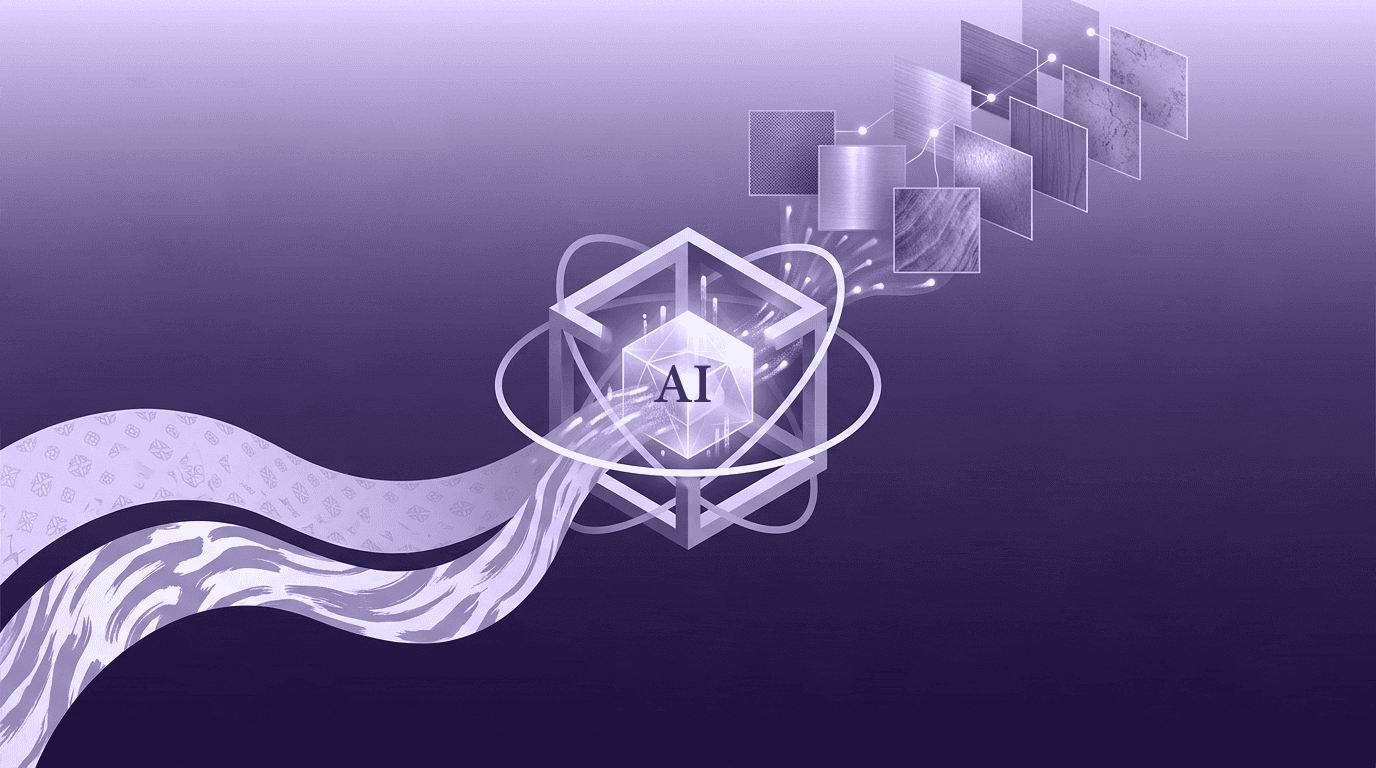
Thankfully, artificial intelligence (AI) is changing the game. New AI-powered texture tools allow artists to generate high-quality materials using simple text descriptions or single photos. In this deep-dive guide, we will break down the incredible benefits of using AI for texture creation and explain how it helps creators work faster, think bigger, and get professional results without the headache.
Unmatched speed: Saving hours of work on every project
The first and most obvious reason creators are falling in love with AI is speed. In any creative industry, time is money. If an artist spends three days making a single wood texture, that is three days they cannot spend on the rest of the project. AI changes everything by crushing timelines.
Making textures instantly from simple text prompts
Imagine you are building a medieval castle scene, and you need a very specific type of wall: "mossy, dark grey castle stones with cracks and water stains."
In the old days, you had two choices. You could search online texture sites for hours hoping someone else made it, or you could sit down and paint it yourself.
With an AI texture generator, you simply type that description into a text box. In less than a minute, the computer gives you four different versions of that exact wall. You can look at them, choose your favorite, and immediately put it into your 3D scene. This shrinks the time spent finding or making basic materials down to almost zero. It allows the artist to stop acting like a factory worker and start acting like a true director.
Turning real photos into 3D materials in seconds
Many designers like to take pictures of the real world for inspiration. You might snap a photo of a cool bark pattern on a tree during a walk, or a unique rusty metal plate on an old garage door.
However, a flat photo is not ready to be used in a 3D program or game engine. It has shadows from the sun, it might be tilted at a weird angle, and the resolution might not be right.
AI tools can take that simple smartphone photo, analyze the surface, and instantly clean it up. The AI removes the uneven shadows, flattens the image perfectly, and upscales it so it looks incredibly sharp. What used to take an hour of manual photo editing now takes less time than it takes to sip your coffee.
Making quick changes for clients and managers
If you work as a professional designer, you know that the first draft is never the final draft. You might show a beautiful kitchen render to a client, only for them to say, "We love it, but can we see what it looks like with light oak wood instead of dark walnut?" or "Can you make the concrete floor look much dirtier and more industrial?"
In a traditional workflow, changing a core texture could mean re-doing hours of work. You would have to go back to your original texture files, swap layers, repaint sections, and re-export the files.
With AI, you simply adjust your text prompt or move a few sliders. You can tell the AI to "increase dirt by fifty percent" or change the text from "dark walnut" to "light oak." Within seconds, you have a fresh variation ready to show the client. This fast loop keeps projects moving forward and prevents everyone from getting frustrated by endless revisions.
Banish the boring stuff: Letting AI handle the tedious technical tasks
Let’s be honest: parts of texture creation are incredibly boring. They require zero artistic talent and a lot of tedious clicking. AI is brilliant at taking these repetitive, technical chores off the artist’s plate so they can focus on the fun parts of design.
Making textures tile seamlessly without the ugly edges
Have you ever looked at a brick wall in an old video game and noticed a strange, repeating line or square pattern across the wall? That is because the texture is not perfectly seamless.
When you apply a small square texture across a giant 3D surface, the edges of the squares touch each other. If those edges don't match up perfectly, you get ugly visible lines that instantly ruin the realism of your scene.
Making a texture "tile" smoothly is one of the most tedious tasks in digital art. Artists usually have to use photo editing tools to hand-blend the edges, clone-stamp over obvious patterns, and tweak things manually.
AI models are trained to look at patterns globally. They can take any image, look at the borders, and automatically morph and blend the edges so they connect seamlessly. Furthermore, the AI can find and erase repetitive marks inside the texture that would give away the pattern. The result is a smooth, continuous surface created in just a couple of clicks.
Why seamless tiling matters: If a texture tiles poorly, the human brain notices the pattern instantly, and the illusion of a real-world object is broken. AI fixes this perfectly every time.
Creating complete 3D map systems automatically (PBR systems)
To make a texture look realistic under different lights, a simple color picture is not enough. Modern 3D programs use a system called PBR, which stands for Physically Based Rendering.
A PBR material is actually made up of several different black-and-white images (called "maps") stacked together. Each map tells the computer how to handle light on that specific surface:
- Albedo map: The base color image (no shadows or reflections).
- Normal / Height map: Tells the computer where the bumps, cracks, and dents are.
- Roughness map: Tells the computer which parts are shiny (like wet mud) and which parts are dry and dull (like dusty wood).
- Ambient Occlusion map: Adds tiny, soft shadows inside cracks and corners.
Creating these maps manually is a highly technical, frustrating process. You have to guess how bright a roughness map should be, or use complex tools to turn a photo into a bumpy normal map.
AI handles this brilliantly. It looks at a single color image, understands what the material is, and instantly generates all of the accompanying maps. If it sees a picture of shiny tile with rough grout lines, it knows exactly which parts should reflect light and which parts should be matte. It packages everything up beautifully, giving you a professional material set ready to drag and drop into engines like Unreal Engine, Unity, or Blender.
Cleaning up human errors and messy details
When humans make textures by hand, mistakes happen. We might miss a spot, make the scale of a pattern look strange, or create pixelated blurs when stretching an image.
AI acts like a smart assistant looking over your shoulder. It can scan an existing texture library to find flaws, fix low-resolution areas using AI upscaling, and make sure everything looks polished. It acts as a safety net, dramatically dropping the number of bugs or visual errors that make it into final production.
Blowing the doors off creative blocks
A lot of people worry that AI will take away human creativity. In reality, the exact opposite is happening. By handling the heavy lifting, AI serves as an incredible tool for brainstorming and creative discovery.
Creating dozens of unique variations of the same material
Imagine you are designing a virtual neighborhood. If every single house has the exact same pristine brick texture, the world will look artificial and lifeless, like a toy town. Real life is messy and full of variations.
Using traditional methods, making fifty different versions of a brick wall- some older, some with moss, some with chipped paint, some with dark smoke stain- would take weeks of mind-numbing effort.
AI makes this effortless. Once you have a base material, you can tell the AI tool to generate variations with different levels of age, wear, or coloring. The AI keeps the structural look of the bricks identical so they feel like they belong to the same project, but changes the small details across every asset. This keeps digital environments looking fresh, rich, and deeply organic without ballooning production times.
Testing weird and wild new art styles instantly
Sometimes, the best creative ideas come from experimenting with things that shouldn't go together. What would a spacesuit look like if it were made out of woven wicker basket material? What does an alien spaceship look like if the hull is made of glowing, crystallized volcanic glass?
In the past, testing a wild idea like that took too much time to justify. If the experiment failed, you wasted an entire afternoon.
AI lowers the cost of curiosity to zero. You can mix and match completely unrelated styles in your text prompts just to see what happens. If an idea looks terrible, you lost thirty seconds. If it looks amazing, you stumbled onto a completely unique art style that makes your project stand out from the crowd. It gives artists the freedom to play and innovate without penalty.
Say goodbye to blank page syndrome
Every creative professional has experienced the dread of the blank canvas. You sit down to start a new project, stare at the screen, and have absolutely no idea where to start.
AI is the ultimate cure for writer's block for artists. You can type in loose, abstract concepts or keywords related to your project and let the tool generate five or ten random textures. Even if you don't use those specific textures in your final design, seeing them visually can spark a thought, trigger a new idea, or help you figure out the exact direction you want to take. It acts as a helpful collaborative partner that helps get your momentum back.
Opening the world of 3D to everyone
For decades, professional 3D art was a highly exclusive club. To make anything look good, you needed thousands of dollars of specialized software, a massive computer rig, and years of university-level training. AI is tearing those walls down and opening the creative world to everyone.
Helping beginners and hobbyists make professional work
If you are a student, an indie game developer working out of your bedroom, or just someone playing around with 3D art as a weekend hobby, the learning curve can feel overwhelming. You have to learn modeling, lighting, animation, and the deep science of material creation all at once.
AI tools act as a powerful equalizer. Because the tool automates the hardest math and technical pipelines of material design, beginners can achieve highly convincing results early in their journey. It keeps newcomers motivated because their projects look beautiful right away, allowing them to focus on learning fundamental design concepts rather than fighting complex software interfaces.
Saving massive amounts of money on expensive equipment
Before AI texture generation matured, top-tier studios created materials using a process called photogrammetry. This involved buying incredibly expensive DSLR cameras, setting up specialized cross-lighting rigs inside a dark room, using polarization filters to eliminate glare, and running heavy scanning software to turn physical objects into digital textures.
While that method produces beautiful results, it is completely out of reach for a solo creator or a small startup studio with a limited budget.
AI allows you to skip the expensive hardware. Because AI models are trained on millions of real-world materials, they can recreate those highly complex lighting and depth details digitally using standard photos or text descriptions. You can build a world-class material library using nothing more than a laptop and your imagination.
Giving small teams and independent creators superpowers
In a giant AAA game studio, there might be an entire department of twenty artists whose only job is to make textures. A solo indie developer trying to make their own game has to do all of that work alone while also writing code, designing levels, and composing music. It is an impossible workload.
AI tools effectively give a single creator the power of a whole team. By letting AI handle the heavy lifting of asset generation, a small team of two or three people can build games or cinematic experiences that look just as rich and detailed as projects made by giant entertainment corporations. It levels the playing field, allowing great storytelling and clever ideas to win out over massive corporate budgets.
helping studios grow and scale content production
As technology improves, consumers expect bigger and better things. Video game worlds are now massive open maps, and architectural presentations require showing entire city blocks instead of single rooms. This means teams need more textures than ever before. AI is the only way to keep up with this crushing demand.
Building huge material collections in days instead of months
If a studio is starting production on a massive new project, they need a baseline library of thousands of shared materials, dozens of types of dirt, asphalt, concrete, metals, and fabrics, before the actual design work can even begin. Sourcing this library manually used to take months of preparation.
With AI workflows integrated into the production pipeline, studios can generate bulk libraries of clean, cohesive, and tileable materials in a matter of days. This allows production to kick off almost immediately, drastically shortening the overall development cycle of movies, games, and consumer products.
Keeping large projects visually consistent
When you have fifty different artists working on the same project, keeping a consistent art style can be a nightmare. One artist might paint their wood textures a little too bright, while another makes theirs too dark or detailed. The final project can end up looking like a messy patchwork quilt.
AI helps maintain a unified vision. Studios can create a custom, internal AI model trained specifically on their project's approved art style. Every artist on the team can use that specific tool to generate assets. Because the AI is working from the exact same stylistic rules, every single texture created will fit together perfectly, ensuring a beautiful, polished, and cohesive final product.
Why AI is the ultimate partner for modern texture design
Artificial intelligence is not a passing trend or a flashy gimmick in the world of design; it is a permanent upgrade to the creative workflow. By taking over the tedious, repetitive parts of texture creation like seamless tiling and map generation, AI changes the role of the modern creator for the better.
It eliminates production bottlenecks, cuts down on expensive hardware costs, and breathes fresh air into the creative process by making rapid brainstorming accessible at the click of a button.
Most importantly, AI is not replacing the artist. A computer does not have taste, vision, or a story to tell. Instead, AI acts as an incredibly powerful, tireless assistant that handles the technical chores, allowing human artists to spend their energy doing what they do best: being deeply creative. Whether you are a seasoned industry veteran or a curious beginner, embracing AI texture tools is the absolute best way to elevate your work and step into the future of digital design.

Mira Kapoor
Mira leads marketing at Texturly, combining creative intuition with data-savvy strategy. With a background in design and a decade of experience shaping stories for creative tech brands, Mira brings the perfect blend of strategy and soul to every campaign. She believes great marketing isn’t about selling—it’s about sparking curiosity and building community.
Latest Blogs

The Indie Dev Guide to CC0 PBR Textures: Stop Searching, Start Cr...
PBR textures
AI in 3D design

Mira Kapoor
Jul 10, 2026

Sourcing Free Game Textures: Navigating PBR Pipelines and Stylize...
PBR textures
Game textures
Mira Kapoor
Jul 6, 2026

Sculpting with Sunlight: The Architectural Physics of Facade Text...
Texture creation
AI in 3D design

Max Calder
Jul 1, 2026

Accelerate you workflow
with automated PBR texture generation
Enjoy creative freedom with AI powered texture creation
 Texturly
Copyright © 2026 Texturly, Asha Technology Labs Pvt. Ltd. All rights reserved