Texture Generator vs. Library: Choose Your Creative Engine
By Mira Kapoor | 23 January 2026 | 12 mins read
Table of contents
Table of Contents
Finding the perfect texture is a familiar challenge. You either spend hours scrolling through libraries for something that’s almost right, or your team spends days crafting it from scratch. But what if the choice wasn't just between find or build? This guide breaks down the new landscape of texture creation in 2025, comparing on-demand AI generation head-to-head with traditional scan libraries, marketplaces, and manual workflows. We'll give you a clear framework to help you decide when to search for an asset, and when to create the exact one you need in seconds.
The modern texture challenge: Why your source matters in 2025
The demand for high-fidelity visuals has never been higher. In VR and real-time 3D, audiences don't just see a world; they step into it. They expect surfaces to react to light believably, for materials to tell a story, and for the entire experience to run without a hitch. This puts immense pressure on creative teams to deliver stunning, immersive visuals on tighter deadlines than ever before.
This creates the central workflow bottleneck of modern 3D creation: balancing quality, speed, and cost. Do you spend days hand-crafting the perfect texture in Painter? Do you spend a significant chunk of your budget on a massive library of photorealistic scans, hoping it has the exact variation you need? Or do you compromise on quality to meet a deadline? For years, these were the only real options.
But in 2025, the game has changed. The rise of AI texture generation introduces a new paradigm. It's no longer just a choice between different libraries of static assets. It’s a choice between a finite catalog and an infinite canvas. Understanding how this new approach stacks up against traditional texture libraries is no longer optional; it’s essential for building an efficient, future-proof pipeline.
A head-to-head Texturly texture comparison
So, where should you get your textures today? The answer depends entirely on your project's needs, your team's skills, and your budget. We’re going to unpack the five primary sources for PBR textures, looking at the strengths and weaknesses of each. Think of this as your guide to choosing the right tool for the right job.
1. Texturly: On-demand AI texture generation
- How it works: You’ve got the vision. Texturly has the engine. It uses advanced AI to generate completely new, seamless PBR textures from simple text prompts or reference images. You can describe a material, “grimy sci-fi metal plating with orange rust streaks”, and get a full, tileable PBR map set in seconds. Tweak the prompt, and you get a new variation instantly. Or you can take a photo of any texture you want to use in your project, and upload it to Texturly Engine, and it will make any texture seamless and tileable.
- Pricing & licensing: The model is built for production: typically a monthly or annual subscription for credits-based generation. The licensing is straightforward: what you create, you own. This simplicity is a massive advantage for studios that need to move fast without getting bogged down in legal reviews.
- Strengths: The primary advantage is unmatched speed for iteration. You can generate dozens of unique concepts in the time it would take to find one suitable texture in a traditional library. This is a massive win for rapid prototyping and look development. Because every texture is generated on demand, you get infinite unique variations, eliminating the risk of seeing the same stock asset in another project. And it's all built around modern PBR texture workflows, delivering all the maps you need (albedo, roughness, normal, etc.) out of the box.
- Limitations: The quality of the output is directly tied to the quality of your input. It requires some skill in prompt engineering to get precisely what you envision. While it excels at creating both realistic and stylized materials, achieving perfect photorealism for a specific, real-world surface can sometimes be less direct than using a photograph.
- Best for: Rapid prototyping, creating unique or stylized materials that don't exist in scan libraries, and especially for VR studios needing performance-optimized assets that are both unique and lightweight.
2. Scan-based libraries (e.g., Quixel Megascans, Poliigon)
- How it works: These libraries are the gold standard for photorealism. The process involves meticulously photographing real-world surfaces with specialized equipment to capture how light interacts with them. This data is then processed into hyper-realistic, high-resolution PBR maps.
- Pricing & licensing: Typically subscription-based. Some, like Megascans, offer deep integration and favorable terms if used within their parent company’s ecosystem (e.g., Unreal Engine). Licensing can be complex, with restrictions on standalone use or redistribution, requiring careful management.
- Strengths: When it comes to grounding a scene in reality, nothing beats a scan. The detail, nuance, and accuracy are unparalleled. For industries like architectural visualization, product design, or AAA games striving for absolute realism, this is often the go-to source.
- Limitations: You’re limited to what's in the library. If they don't have a scan of the specific 19th-century French silk you need, you're out of luck. This finite nature makes them less flexible for custom or stylized needs. High-quality scan libraries also come with significant costs, either through subscriptions or per-asset pricing, and the high-resolution files can be heavy, requiring optimization for real-time applications.
- Best for: AAA game development, architectural visualization, and film/VFX where photorealism is the absolute top priority and budget is less of a constraint.
3. Subscription texture source marketplaces (e.g., Adobe Substance 3D Assets)
- How it works: Think of these as vast digital warehouses. They offer massive online collections of procedural materials, smart materials, decals, and textures, often tightly integrated into a specific software ecosystem. Many assets are procedural, meaning you can tweak parameters to customize them.
- Pricing & licensing: Often based on monthly or annual subscriptions that provide a set number of asset downloads or credits. This can sometimes discourage experimentation, as each download feels like a micro-transaction.
- Strengths: The sheer variety is a huge plus. You can find almost anything, from realistic surfaces to stylized patterns. The procedural nature of many assets (especially in the Adobe ecosystem) offers a great deal of customization without having to start from scratch. If your team is already invested in a toolset like Adobe Substance 3D, the seamless integration is a major workflow accelerator.
- Limitations: The primary drawback is the ongoing subscription cost. You're renting access, not owning the assets. There's also a potential learning curve for effectively using and modifying the procedural materials, which can be as complex as the creation tools themselves. You can also run into the same "stock" feel as scan libraries if you're not customizing the assets enough.
- Best for: Artists and studios who are already deeply invested in a specific software ecosystem (like Adobe) and need a wide variety of high-quality, customizable assets on a regular basis.
4. Free & CC0 texture libraries (e.g., Poly Haven, AmbientCG)
- How it works: These platforms are built by the community, for the community. They offer libraries of PBR textures for free, often under permissive Creative Commons (CC0) licensing, which means you can use them for commercial projects without attribution.
- Pricing & licensing: Free. Completely. The CC0 license means you can use, share, and adapt the assets for any purpose, including commercial projects, without attribution. This is the ultimate in licensing simplicity and a massive boon for projects of all sizes.
- Strengths: The cost is zero. For indie developers, students, or anyone on a tight budget, this is an incredible resource. The permissive licensing is another huge benefit, removing any legal ambiguity for commercial use. You can download and use these assets with peace of mind.
- Limitations: The trade-off for free is often consistency and selection. The quality can vary from asset to asset, and the availability of a full set of PBR maps isn't always guaranteed. The libraries are also significantly smaller than their paid counterparts, so you may not find what you’re looking for, especially for more niche materials.
- Best for: Indie developers, students, and hobbyists. They are also great for populating scenes with background assets where you don't need a unique, "hero" material, allowing you to save budget for more important elements.
5. Manual creation tools (e.g., Substance Painter, Photoshop)
- How it works: This is the artisan approach. Using powerful 3D texture creation tools like Substance Painter or the classic Photoshop, artists hand-craft textures from the ground up. It’s a mix of digital painting, procedural generation, and sheer artistic skill.
- Pricing & licensing: The cost is tied to the software license, which is often a subscription (like Adobe Substance 3D). But the real cost is the most valuable resource a studio has: artist time. A single high-quality hero asset can take days or even weeks to create.
- Strengths: Absolute, pixel-perfect creative control. When you need a material to tell a very specific story or match a unique art style, nothing beats creating it by hand. This method is essential for developing the visual identity of a project and for creating those standout "hero" assets that define a scene.
- Limitations: It is, by far, the most time-consuming option. It requires a high level of both artistic talent and technical proficiency with complex software. For a studio, this translates to high labor costs. It's simply not feasible to create every single texture in a large-scale project this way.
- Best for: Creating unique “hero” assets that are central to the visual experience, developing highly stylized game art, and for any material so specific that it simply cannot be found or generated elsewhere.
How to choose between AI and traditional texture libraries in 2025
Understanding the options is one thing; building the right workflow is another. Your choice of texture source isn't just a line item in a budget; it defines how your team iterates, solves problems, and innovates. Here’s how to choose between AI and traditional texture libraries based on your specific needs.
For the studio director: Balancing immersion and performance
You're not just building a world; you're building a believable space that has to run at 90+ frames per second. This is where a hybrid approach, with AI texture generation at its core, really shines.
- Prioritize iteration speed: You need to see how materials feel inside the headset, not just on a monitor. AI tools like Texturly allow your artists to generate and test a dozen different floor textures directly in-engine in the time it would take to download one from a scan library. This drastically shortens the feedback loop between concept and experience.
- Enhance immersion with uniqueness: One of the biggest immersion-breakers is obvious texture repetition. With AI, you can generate multiple unique variations of a single material, like concrete, wood planks, or sci-fi paneling, ensuring that large surfaces feel organic and non-repeating. This is a subtle but powerful way to increase visual fidelity and player presence.
- Optimize for performance: Scanned textures are often massive. An 8K texture set can crush your memory budget. AI-generated textures can be created at the exact resolution you need, 1K, 2K, or 4K, producing lightweight, performant assets that are perfect for VR without sacrificing visual identity.
For the indie developer: Maximizing value and flexibility
When you're running a small team, every dollar and every hour counts. Your goal is to get the highest possible quality on screen without getting locked into expensive subscriptions.
Your best bet is a smart mix. Use free CC0 libraries like AmbientCG for your foundational materials, the concrete, basic woods, and grounds. They’re reliable and cost you nothing. But for your key assets, the ones that give your game its personality, an AI tool like Texturly is your secret weapon. It allows you to create unique, high-quality materials that make your project stand out, all for a predictable, manageable cost. This approach gives you maximum bang for your buck.
For the archviz or product design artist: Achieving photorealism
In your world, realism is non-negotiable. Clients expect to see their product or building rendered with perfect accuracy. For this, scan-based libraries like Quixel Megascans are your foundation. You need that ground-truth data for common materials like asphalt, brick, and standard woods.
But what happens when the client specs a custom-milled acacia wood or a specific woven fabric that doesn't exist in a scan library? That's where the AI-powered tool Texturly becomes the perfect supplement. You can use a reference image of the material to generate a seamless PBR texture that matches the client's vision perfectly. It fills the gaps that even the most extensive scan libraries can't cover, giving you a powerful combination of realism and bespoke customization.
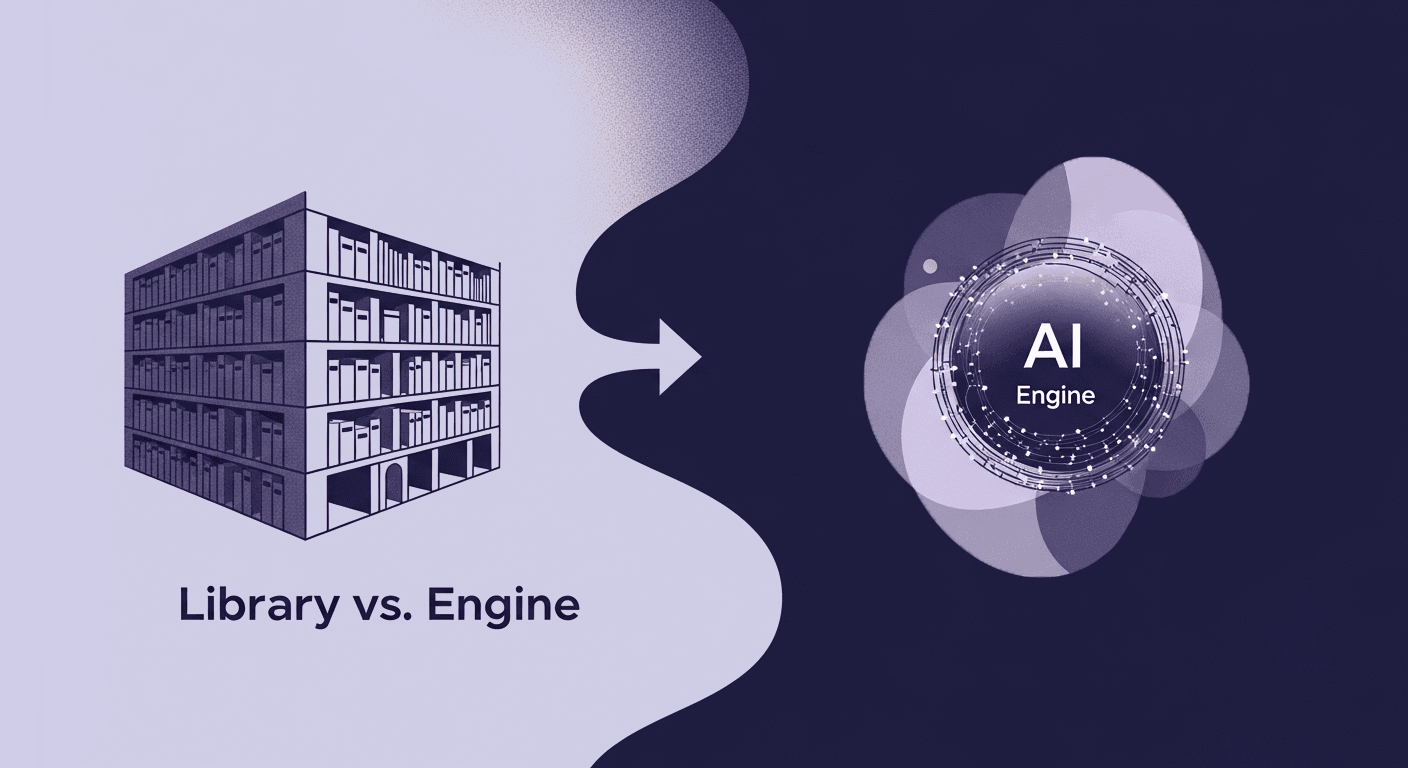
Your workflow isn't a library, it's an engine
So, what’s the final verdict in the 2025 texture showdown? It’s this: the debate is no longer about picking one tool for the job. It’s about deciding what kind of creative workflow you want to build.
For years, our process has been built around a library. We search a finite collection of assets, whether scanned, bought, or downloaded, hoping to find the right fit. It’s a workflow of discovery.
But AI generation reframes the entire model. It turns your workflow from a static library into a dynamic engine. Instead of searching for what exists, you direct the creation of what you need, right when you need it. You’re not just a consumer of assets; you’re the architect of infinite variations.
For a creative director, this shift is everything. It means your team’s vision is no longer limited by a catalog. It means faster iteration, more unique worlds, and the freedom to answer the most important question, not “What texture can we find?” but “What texture does this experience demand?”
You’ve got the vision. Now you have an engine to match.

Mira Kapoor
Mira leads marketing at Texturly, combining creative intuition with data-savvy strategy. With a background in design and a decade of experience shaping stories for creative tech brands, Mira brings the perfect blend of strategy and soul to every campaign. She believes great marketing isn’t about selling—it’s about sparking curiosity and building community.
Latest Blogs

The Indie Dev Guide to CC0 PBR Textures: Stop Searching, Start Cr...
PBR textures
AI in 3D design

Mira Kapoor
Jul 10, 2026

Sourcing Free Game Textures: Navigating PBR Pipelines and Stylize...
PBR textures
Game textures
Mira Kapoor
Jul 6, 2026

Sculpting with Sunlight: The Architectural Physics of Facade Text...
Texture creation
AI in 3D design

Max Calder
Jul 1, 2026

Accelerate you workflow
with automated PBR texture generation
Enjoy creative freedom with AI powered texture creation
 Texturly
Copyright © 2026 Texturly, Asha Technology Labs Pvt. Ltd. All rights reserved