360 Environment Textures vs. Skyboxes: Guide to Choosing the Right Background
By Max Calder | 28 January 2026 | 13 mins read
Table of contents
Table of Contents
You're building a world, and the background is what sells its scale and mood. But picking the right technique often feels like a shot in the dark. Do you go with the old-school, reliable skybox or the modern, seamless 360 texture? Choose wrong, and you’re left fighting distracting seams, tanking your performance, or creating a scene that just feels flat. This guide cuts through the noise. We're going to unpack the practical, head-to-head differences between traditional skyboxes and 360 environment textures, not just what they are, but when and why you should use each one. Because choosing your background isn't just an artistic decision; it's a technical one that impacts everything from player immersion in VR to frame rates on mobile. Think of this as your decision framework, helping you pick the right tool for the job, every time.
Understanding your background rendering techniques
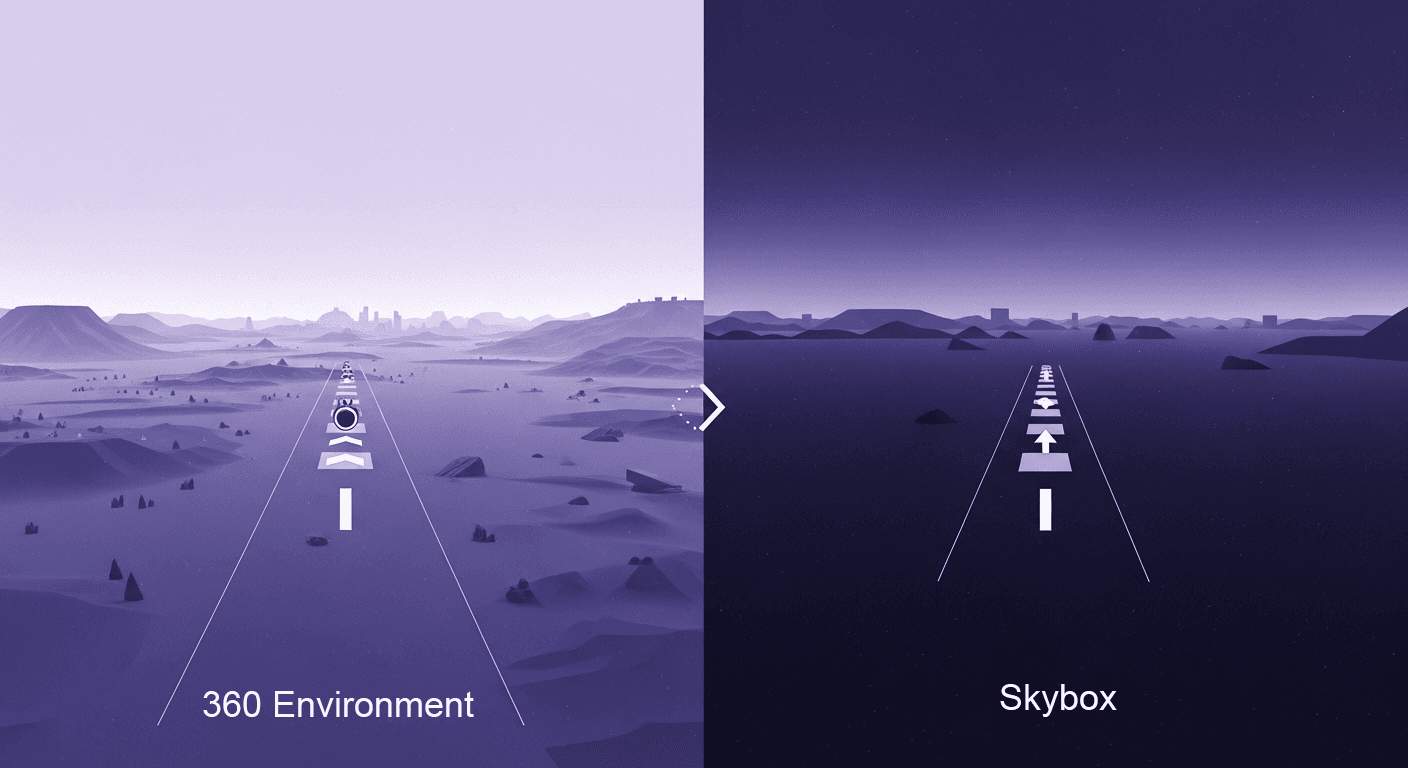
You’re building a world, and that world needs a sky, or a horizon, or a distant galaxy. The background is what sells the scale and mood of your scene. For decades, we’ve had two primary tools in our belt for this: the classic skybox and the more modern 360 environment texture.
They both get the job done, but they work differently, feel different, and cost different amounts of performance. Think of them like two different kinds of lenses for a camera. One is a reliable prime lens that’s sharp and efficient, while the other is a versatile wide-angle that captures everything seamlessly. Neither is better; they’re just built for different shots. Let’s unpack them.
What’s a traditional skybox? The six-sided classic
A traditional skybox is exactly what it sounds like: a big cube that surrounds your entire scene. Imagine your game level sitting inside a massive cardboard box, and on the inside of each of the six walls, you’ve plastered a texture. One for the sky above, one for the ground below, and one for each of the four cardinal directions (north, south, east, west).
From the player’s perspective at the center, these six separate images blend together to create the illusion of a continuous, distant environment. It’s a clever trick that powers game backgrounds for generations.
Breaking down the cube map concept
Technically, this is called a cube map. It’s an array of six 2D textures that your game engine knows how to project onto the inside of an imaginary cube. The math is simple and fast, which is why it’s been a staple in game environment rendering techniques for so long. The GPU can very quickly figure out which of the six textures to sample from based on the direction a camera pixel is looking.
Common use cases: Stylized games, distant, non-interactive backgrounds
You’ll see skyboxes everywhere, especially where performance is king or the art style doesn’t demand photorealism. Think of games with painterly, stylized skies, or space sims where the background is a simple starfield. If the horizon is miles away and the player will never get a closer look, a skybox is often the most efficient tool for the job. It’s a workhorse, reliable, cheap to render, and easy to understand.
What are 360 environment textures? the modern sphere
If a skybox is a cube, a 360 environment texture is a sphere. Instead of six flat images stitched together at the corners, you have one single, seamless image wrapped around the scene. This approach completely surrounds the player in a smooth, continuous background without any of the potential seam issues you might get from a cube.
Explaining equirectangular mapping for game environments
This single image is usually in an equirectangular format. If you’ve ever seen a flat map of the Earth, you’ve seen an equirectangular projection. It’s a way of unwrapping the surface of a sphere into a 2D rectangle. Your game engine takes this flat texture and projects it onto the inside of a giant sphere (or a hemisphere, called a skydome), enveloping your level.
This technique is the foundation for most modern photorealistic backgrounds, especially those used in High-Dynamic Range Imaging (HDRI), which we’ll get to later.
Common use cases: Realistic scenes, VR/AR experiences, and image-based lighting (IBL)
This is where 360 textures shine. For Virtual Reality and Augmented Reality, seamlessness is non-negotiable. Any visible seam or distortion can instantly break immersion and even cause motion sickness. A 360 texture provides that flawless panoramic view. It’s also the go-to for creating realistic lighting. A high-quality 360 photo doesn't just serve as a background; it can be used as a light source to cast accurate ambient light and generate lifelike reflections on objects in your scene, a technique called Image-Based Lighting (IBL).
So, we have our two contenders: the box and the sphere. One is a classic, efficient pattern, and the other is a modern, immersive powerhouse. Now, let's put them head-to-head.
360 environment textures vs skyboxes
Choosing between these two isn’t just an artistic decision; it’s a technical one that impacts realism, performance, and your team’s workflow. Let's break down the real-world differences in a friendly matchup.
Round 1: Visual realism and parallax
Right out of the gate, 360 textures have an edge in pure visual fidelity. The biggest win? No seams. Ever. With a traditional skybox, you’re relying on the texture artist and the engine’s filtering to perfectly hide the transitions at the cube’s eight corners. Most of the time, it works, but under certain lighting conditions or camera angles, those seams can pop out, reminding the player they’re in a digital box.
A 360 texture mapped to a sphere is mathematically seamless. There are no corners, so there's no risk of a visual break. This is a massive deal for VR, where a player can freely look around, and a single distracting seam can shatter the sense of presence.
What about parallax? In truth, both techniques are typically rendered at an infinite distance, meaning the background doesn’t move in relation to the player’s position (no parallax). It’s a static backdrop. However, the distortion from projection can be an issue. A cube map can sometimes feel subtly warped near the corners, especially with a wide field of view. The smooth, spherical projection of a 360 texture often feels more natural and less distorted to the human eye, further enhancing immersion.
Round 2: Performance impact and game graphics optimization
This is where the decision gets tricky. How do these techniques stack up when it comes to memory and GPU load? It's a classic game graphics optimization puzzle.
Memory usage: Comparing a single large texture vs. six smaller ones
- Skybox (cube map): Typically uses six individual square textures. A common setup might be six 1024x1024 textures. Total pixels: 6 x (1024x1024) = 6.3 million pixels.
- 360 texture (equirectangular): Uses a single texture, usually in a 2:1 aspect ratio. A comparable quality texture might be 4096x2048. Total pixels: 4096 x 2048 = 8.4 million pixels.
On paper, the 360 texture seems to use more memory for similar quality. However, the cube map format is less efficient with its pixels; the corners of each texture get heavily distorted and compressed when projected. An equirectangular map has its own distortion (at the poles), but it’s often considered a more efficient use of texture space for the final result. The real answer depends heavily on your compression settings and your engine’s texture management system.
How do these techniques impact game engine resource management?
Game engines are highly optimized for handling cube maps. Sampling a cube map in a shader is a hardware-accelerated operation and is incredibly fast. You just give the GPU a direction vector, and it gives you back the right color. It's simple and efficient. Sampling from an equirectangular map requires a bit more math to convert the direction vector into 2D UV coordinates for the flat texture. It’s not a huge performance hit on modern GPUs, but it’s technically more work than a native cube map sample. For this reason, many engines will actually take your 360 texture and convert it into a cube map internally for rendering and lighting calculations. So you get the workflow benefit of a single texture, with the performance benefit of a cube map at runtime.
Round 3: Workflow, flexibility, and 360-degree background implementation
How easy is it to actually create and implement these backgrounds? This is where your team’s time and resources come into play.
Ease of creation and iteration for artists
Creating a seamless cube map from scratch is a specialized skill. You either need 3D software to render the six faces from a single point, or you need a 2D artist skilled enough to paint across six different canvases while ensuring every edge lines up perfectly. It can be a slow, frustrating process.
Creating a 360 environment texture is often much more straightforward. You can paint it on a 2D canvas with specialized tools that show you a 3D preview, or you can generate it from a 3D scene. Better yet, you can just go out and capture one.
Sourcing assets: The availability of 360 photos vs. creating custom cube maps
The rise of 360-degree cameras and a robust marketplace for high-quality HDRIs has made 360-degree background implementation easier than ever. You can buy or download a stunning, photorealistic 360-degree image of a real-world location and drop it directly into your game. Trying to find a ready-made set of six cube map faces that match your artistic vision is a much taller order.
Technical implementation steps and potential pipeline hurdles
In modern engines like Unity or Unreal Engine, the technical steps are pretty simple for both. Most engines have a dedicated Sky Sphere or Skylight actor that you can just drag a texture into. As mentioned, they often handle the conversion from a 360 texture to a cube map automatically behind the scenes. The real pipeline question is about the source asset: is it easier for your team to create, purchase, or modify a single panoramic image or six separate ones? For most teams working on realistic projects, the single-image workflow is a clear winner.
The decision framework: When to use each technique
Alright, theory is great, but you have a deadline. You need to make a call. Here’s a simple framework based on your project’s goals.
Choose a traditional skybox when
- Performance on low-end hardware is your top priority. If you're targeting mobile, web, or lower-spec consoles like the Nintendo Switch, every ounce of performance counts. A simple, low-resolution cube map is incredibly lightweight and will run smoothly on almost anything.
- The background is a simple, distant, or abstract vista. If your sky is just a gradient, a starfield, or a stylized cloud pattern, a cube map is more than sufficient. You don’t need the overhead of a spherical projection for simple visuals.
- Your art style is non-photorealistic. For games with a low-poly, cel-shaded, or painterly aesthetic, the crisp, clean nature of a cube map often fits the visual style better. It avoids the photographic feel that comes with many 360 textures.
Choose a 360 environment texture when
- You need maximum realism and seamless immersion (especially for VR). This is the number one reason. For any experience where the player needs to feel completely present and grounded in the world, the seamless, distortion-free nature of a 360 texture is worth the cost.
- The environment will be used for reflections or image-based lighting (IBL). If you want your metallic surfaces to reflect the sky accurately and your shaded areas to be lit by bounced light from the environment, you need a high-quality panoramic texture. Using an HDRI (a 360 texture with a high dynamic range of color and light) is the industry standard for realistic 3D game environment design.
- You have a high-quality panoramic asset ready to use. If your workflow is based on 360 photography or you’ve sourced the perfect HDRI online, it’s far easier to use it directly than to try and convert it into six perfect cube map faces manually.
Best practices for game background design
Regardless of which method you choose, a few best practices will help you get the most out of your background while keeping your game running smoothly.
Optimizing your textures for quality and performance
Your sky texture is likely one of the largest single assets in your scene, so it needs to be handled with care.
- Compression techniques and resolution guidelines: Use modern texture compression formats like BC7 for high quality on PC/console, or ASTC for the excellent quality-to-size ratio on mobile. You also don’t always need a massive 8K texture. If your background is intentionally blurry or low-detail, scale it down. Run tests, find the lowest resolution that still looks good. Every megabyte saved counts.
- The role of mipmapping in preventing visual artifacts: Always enable mipmaps for your sky textures. Mipmapping creates pre-scaled, lower-resolution versions of your texture that the GPU can use when the texture is viewed from a distance. This prevents a nasty shimmering effect called moiré and improves texture sampling performance significantly.
Integrating your choice with in-game lighting
Your background isn't just a pretty picture; it's the primary source of ambient light in your scene. Make it count.
- Using your skybox or 360 texture as a light source: Most modern engines have a Skylight or IBL feature. You feed it your sky texture, and it will calculate the ambient light and specular reflections for your entire scene based on the colors and brightness of that texture. This is what makes objects feel like they truly belong in the world.
- Ensuring color and mood consistency between the background and foreground: The final step is to make sure your direct lights (like the sun) match the sky. If your 360 texture shows a warm, setting sun on the horizon, your main directional light should be angled to match that direction and colored with a similar warm, orange hue. When your lighting and your background tell the same story, you achieve a cohesive and believable world that pulls the player in.
The right sky for the right story
So, is it the box or the sphere? At the end of the day, that’s the wrong question. The real question is: what story does your world need to tell?
You’re no longer just picking a rendering technique; you’re making a deliberate choice about your world’s DNA. Are you building a fast-paced, stylized arcade game where performance is king? The classic skybox is your reliable workhorse. Are you crafting an immersive VR narrative where every reflection needs to feel grounded and real? The 360 texture is your key to presence.
This decision framework isn’t about finding a single best answer. It’s about empowering you to stop guessing and start designing with intent. By matching your technical foundation to your artistic vision from the very beginning, you create worlds that are not only more believable but also more efficient to build.
You’ve got the tools. You know the trade-offs. Now go build a sky that makes players forget they’re in a game at all.

Max Calder
Max Calder is a creative technologist at Texturly. He specializes in material workflows, lighting, and rendering, but what drives him is enhancing creative workflows using technology. Whether he's writing about shader logic or exploring the art behind great textures, Max brings a thoughtful, hands-on perspective shaped by years in the industry. His favorite kind of learning? Collaborative, curious, and always rooted in real-world projects.
Latest Blogs

The Indie Dev Guide to CC0 PBR Textures: Stop Searching, Start Cr...
PBR textures
AI in 3D design

Mira Kapoor
Jul 10, 2026

Sourcing Free Game Textures: Navigating PBR Pipelines and Stylize...
PBR textures
Game textures
Mira Kapoor
Jul 6, 2026

Sculpting with Sunlight: The Architectural Physics of Facade Text...
Texture creation
AI in 3D design

Max Calder
Jul 1, 2026

Accelerate you workflow
with automated PBR texture generation
Enjoy creative freedom with AI powered texture creation
 Texturly
Copyright © 2026 Texturly, Asha Technology Labs Pvt. Ltd. All rights reserved