Three Metal Textures That Separate Good Car Renders From Great Ones
By Max Calder | 18 March 2026 | 12 mins read
Table of contents
Table of Contents
That last 10% of realism in a car render, the part that separates a great model from a photorealistic shot. More often than not, that magic is hiding in the metal. It's in the way a grille catches the light or the subtle finish on a piece of trim. In this guide, we’re going to unpack the three workhorse metal PBR textures that do the heavy lifting for you: cladding, expanded, and perforated. This isn't just another material library showcase. It's a playbook for understanding why you'd choose one over the other, and how to use them to build visuals that feel engineered, not just rendered, all within a workflow that doesn’t crumble when a client asks for one more revision.
Why your metal textures need to work harder
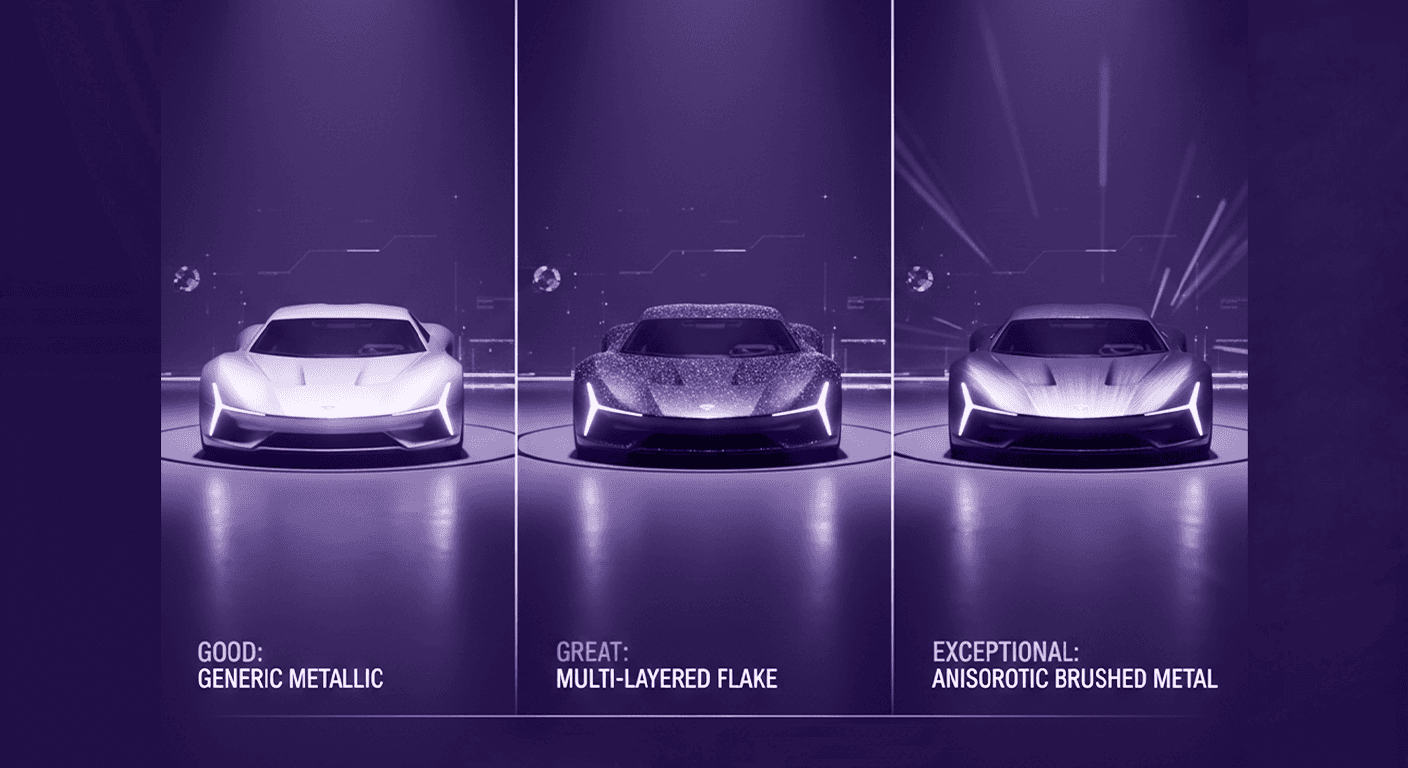
You’ve spent days, maybe weeks, perfecting a car model. The curves are perfect, the lighting is dialed in, but something feels… off. The metal looks like plastic. That default brushed aluminum shader from your library looks flat under 90% of your lighting setups. It’s a common trap. We reach for a generic material, and it gets us 80% of the way there, but that last 20% is what separates a good render from a photorealistic one.
The biggest pitfall is treating metal as a simple, uniform surface. In the real world, no metal is perfect. It has microscopic scratches, subtle anodized sheens, and surface deviations that catch the light in complex ways. Relying on a single texture map or a procedural shader alone often misses this nuance, leading to sterile, CG-looking results. You get reflections, but they lack depth and believability.
More importantly, in a professional automotive visualization pipeline, designs are never final. The grille pattern changes, the trim finish gets tweaked, and the body panels are reshaped. A rigid texturing workflow where every detail is baked in becomes a massive bottleneck. You need a system that balances stunning visual fidelity with the flexibility to iterate fast. This is where a smart metal PBR texture workflow comes in. It’s not about having hundreds of materials; it’s about having the right types of textures and knowing how to layer them non-destructively. So let's move beyond the defaults and unpack the three workhorse metal textures that will do the heavy lifting for you: cladding, expanded, and perforated.
The workhorse: Nailing realism with metal cladding textures
Think of the seamless, machined body of a luxury sedan or the iconic stainless steel of a DeLorean. That solid, uninterrupted surface is what we’re talking about when we say metal cladding textures. This is your foundation for any large metal panel, car bodies, hoods, doors, and large trim pieces. It’s the texture that has to sell the vehicle’s primary form.
So, what defines a cladding texture? It's less about a repeating pattern and more about subtle, large-scale surface characteristics. Its job is to interact with light believably across a huge, often curved, surface. A great cladding texture conveys the manufacturing process. Is it a stamped aluminum panel with a faint orange peel effect in the clear coat? Is it a directionally brushed steel trim that catches the light in a linear way? Or is it a perfectly polished, anodized surface where the only details are microscopic imperfections? These are the details that trick the eye into seeing real metal, not a gray shader with high metallic and low roughness values.
PBR workflow tips for cladding
Getting cladding right is all about layering and meticulous UV work.
- Layer your finishes for depth: Don’t try to do everything in one texture set. A professional workflow often involves layered shaders. Start with a base material that defines the raw metal, its color, and its metallic value. Then, layer details on top. For a brushed aluminum trim, use a subtle, almost invisible, normal map to create the directional scratches. For a painted car body, a clear coat layer with its own roughness and reflection properties sitting on top of the base paint color is essential for realism. Use a separate roughness map with faint smudges or water spots to break up the uniformity of reflections. This layered approach is not only more realistic but also far more flexible.
- Manage your UVs like a pro: UV unwrapping a full car body is nobody's idea of fun. But for cladding, it’s non-negotiable. A stretched or distorted UV seam on a brushed metal texture is an instant giveaway. For large, smooth panels, your UVs need to be as clean and distortion-free as possible. While tri-planar mapping can be a lifesaver for quick look-dev, final hero shots demand properly unwrapped UVs to control the exact flow and direction of finishes like brushed metal. The payoff is having reflections and highlights that flow believably across panel gaps and complex curves.
Once you’ve mastered the broad surfaces with cladding, it's time to add the high-frequency details that convey character and function. This is where we bring in the textures that add aggression and technical sophistication.
The detail-maker: Expanded metal applications in automotive design
Move beyond the simple cross-hatch pattern you find in default texture libraries. Real expanded metal applications are about adding a raw, functional, and often aggressive aesthetic to a vehicle. This is the material that makes up the menacing grille of a performance car, the vents on a supercar’s engine cover, or the protective mesh in an off-roader’s intake. It screams high-performance and durability.
What is expanded metal, exactly? It’s not a wire mesh. It’s created by taking a solid sheet of metal, cutting slits in it, and then stretching it. This process creates a distinct diamond-shaped pattern of interconnected strands. Crucially, the strands are angled, creating a 3D surface that catches light in a dynamic, complex way. This is standard (or raised) expanded metal. There’s also flattened expanded metal, which is passed through a cold-rolling process to flatten the sheet. This results in a smooth surface with the same diamond pattern, looking more like a perforated sheet but with a unique, stretched character.
How to choose the right expanded metal texture for your project
The choice between standard and flattened, and the density of the pattern, has a massive impact on the car’s personality.
- Match pattern density to character: The scale of the diamond pattern is a key design choice. A large, open pattern with thick strands looks aggressive and rugged, perfect for a performance truck’s grille. A fine, dense mesh with thin strands feels more technical and refined, fitting for the intake vents on a luxury electric vehicle or the speaker grille in a high-end interior. Before you pick a texture, ask: What story am I trying to tell about this vehicle? Performance? Luxury? Technology?
- Rendering tips to avoid artifacts: Rendering thin, repeating patterns like expanded metal can be tricky. The number one enemy is the moiré pattern, that distracting, shimmering artifact that appears when the texture detail is finer than the pixels rendering it, especially at a distance. To combat this, make sure your metal PBR texture is high-resolution and that your renderer’s mip-mapping or texture filtering is properly configured. For shots where the grille is further from the camera, it can even be beneficial to use a slightly softer or blurred version of the texture to avoid the high-frequency detail from shimmering. For close-ups, depth is key. Don’t just rely on an alpha map. A good normal or displacement map is essential to sell the 3D, angled nature of standard expanded metal, making the light catch on all those individual edges.
Expanded metal makes a bold, structural statement. But not all details need to shout. Some of the most convincing realism comes from the subtle textures that suggest complex function with quiet confidence.
The subtle touch: Adding depth with perforated metal design
If expanded metal is the aggressive shout, perforated metal design is the confident whisper. These textures are all about adding layers of functional detail and telling a story about what’s happening underneath the surface. They are the unsung heroes of realism in automotive visualization.
You’ll find perforated metals everywhere on a modern vehicle when you start looking. They’re the protective heat shields over a glowing exhaust system, the elegant grilles over interior speakers, the ventilation panels in the engine bay, and even the grippy surfaces on race car pedals. Their purpose is to suggest function, airflow, heat dissipation, sound transparency, or lightweight construction, without you needing to model every single hole.
What makes a perforated texture work is the detail in its pattern. The shape of the holes, round, square, hexagonal, or slotted, and their spacing and size, all contribute to the final aesthetic. A sheet with tightly packed, micro-perforated round holes feels precise and high-tech, like a premium audio component. A panel with large, hexagonal cutouts feels strong, modern, and is often associated with performance and airflow.
Functional and aesthetic properties of perforated metal
The real power of perforated metal PBR textures lies in how you layer them to imply complexity.
- Suggesting function through texture: Your choice of perforated texture should be driven by the component’s imaginary job. A perforated texture over an exhaust component immediately tells the viewer its purpose is heat management. The same texture over a speaker cone implies acoustics. This is visual storytelling. You’re using the texture to communicate engineering intent, adding a layer of authenticity that a simple solid material could never achieve.
- Techniques for layering complex components: Here’s a pro workflow: don’t just apply a perforated material to a single plane. Instead, create depth by layering. Imagine a door speaker. You have the speaker cone material itself, a matte black fabric or paper. Then, you have a separate piece of geometry on top for the grille. Apply your perforated metal texture to this top layer, using its alpha channel to make it see-through. Instantly, you have a complex component that looks like it was assembled from multiple parts, adding incredible depth and realism to your interior shots. This technique saves you from modeling millions of tiny holes, keeping your scene efficient while maximizing visual fidelity.
We've covered the solid, the aggressive, and the subtle. Now, let's bring it all together into a simple framework for making the right call, every time.
The playbook: How to choose the right metal PBR texture
Knowing the difference between these three metal types is good. Knowing exactly when to use each one to get the effect you want, and how to set them up for rapid iteration, is what makes you a pro. Here’s a quick playbook to help you make the right choice quickly and efficiently.
A quick comparison: Cladding vs. Expanded vs. Perforated
Think of this as your mental checklist. Before you even open your material editor, decide which category your component falls into.
- When to use cladding:
- Purpose: To create large, solid, seamless surfaces.
- Think: Car bodies, hoods, doors, large decorative trim.
- Goal: Achieve perfect, nuanced reflections and subtle surface imperfections. Your focus here is on the quality of the finish, brushed, polished, anodized, or painted.
- When to use expanded metal:
- Purpose: To add aggressive, structural, and textured details.
- Think: Front grilles, large air intakes, vents, protective guards.
- Goal: Convey performance and airflow with a 3D, angular pattern that catches light dynamically.
- When to use perforated metal:
- Purpose: To add subtle, functional layers and suggest depth.
- Think: Speaker covers, exhaust heat shields, engine bay panels, and foot pedals.
- Goal: Imply functions like sound, airflow, or heat dissipation, and add visual complexity by layering it over other materials.
Building a non-destructive texture pipeline
This is the most critical part for any artist working with designs that are constantly in flux. Your material setup needs to be as flexible as the design process itself. The goal is to make changes in minutes, not hours.
- Embrace instancing and master materials: Set up a \"master\" material for each type of metal in your scene (e.g., Master_Aluminum_Brushed, Master_Chrome). Then, create instances from these masters for each specific part. When a change request comes in, say, to make the aluminum slightly less rough, you only need to update the master material, and every part using it will update instantly.
- Use masks and procedural layers for iteration: Avoid baking multiple materials onto a single texture map. Instead, use grayscale masks to define where different materials appear on an object. For example, on a single door trim piece, you might have a chrome section and a brushed aluminum section. By using a mask to blend between two different material instances, you can easily change the shape of the chrome inlay by just editing a simple black-and-white mask. This is infinitely faster than re-texturing and re-exporting. On top of this, use procedural layers, like a subtle grunge map or a noise pattern, to add variation and break up uniformity. By keeping these layers separate in your shader, you can tweak the amount of wear-and-tear without ever having to touch your base metal PBR textures.
It's more than just metal
So, what have we really unpacked here? It’s not just a list of three texture types. It’s a complete playbook for telling stories with metal. Think of it this way:
- Cladding is your foundation, it sells the vehicle’s primary form and finish.
- Expanded is your aggressive accent, it communicates performance and raw function.
- Perforated is your subtle layer of engineering, it whispers about airflow, acoustics, and heat management.
Mastering this trio means you’re no longer just applying materials; you’re making deliberate design choices that add layers of realism. That last-minute request from a client to tweak the grille? It’s not a headache anymore. It’s a simple mask update because you built your workflow to be flexible. You can finally stop wrestling with flat shaders and spend your energy where it matters most, nailing that perfect, photorealistic shot.
You’ve always had the eye. Now you have the system to back it up. Go make something incredible.

Max Calder
Max Calder is a creative technologist at Texturly. He specializes in material workflows, lighting, and rendering, but what drives him is enhancing creative workflows using technology. Whether he's writing about shader logic or exploring the art behind great textures, Max brings a thoughtful, hands-on perspective shaped by years in the industry. His favorite kind of learning? Collaborative, curious, and always rooted in real-world projects.
Latest Blogs

The Indie Dev Guide to CC0 PBR Textures: Stop Searching, Start Cr...
PBR textures
AI in 3D design

Mira Kapoor
Jul 10, 2026

Sourcing Free Game Textures: Navigating PBR Pipelines and Stylize...
PBR textures
Game textures
Mira Kapoor
Jul 6, 2026

Sculpting with Sunlight: The Architectural Physics of Facade Text...
Texture creation
AI in 3D design

Max Calder
Jul 1, 2026

Accelerate you workflow
with automated PBR texture generation
Enjoy creative freedom with AI powered texture creation
 Texturly
Copyright © 2026 Texturly, Asha Technology Labs Pvt. Ltd. All rights reserved