How to Master Seamless Fabric Textures: Cotton, Linen, and Bouclé Without the Seams
By Mira Kapoor | 19 June 2026 | 8 mins read
Table of contents
Table of Contents
Nothing stalls a high-end architectural visualization or digital fashion render faster than a glaring, repeating seam slicing right across your main asset. You’ve spent hours perfecting the folds of a custom sofa or tailoring a digital garment in Marvelous Designer. The lighting is dialed in, the camera angle is immaculate, but the moment you hit render, a harsh grid pattern reveals itself across the fabric. Your immersive, photorealistic scene is instantly broken, exposed as nothing more than a computer-generated model.
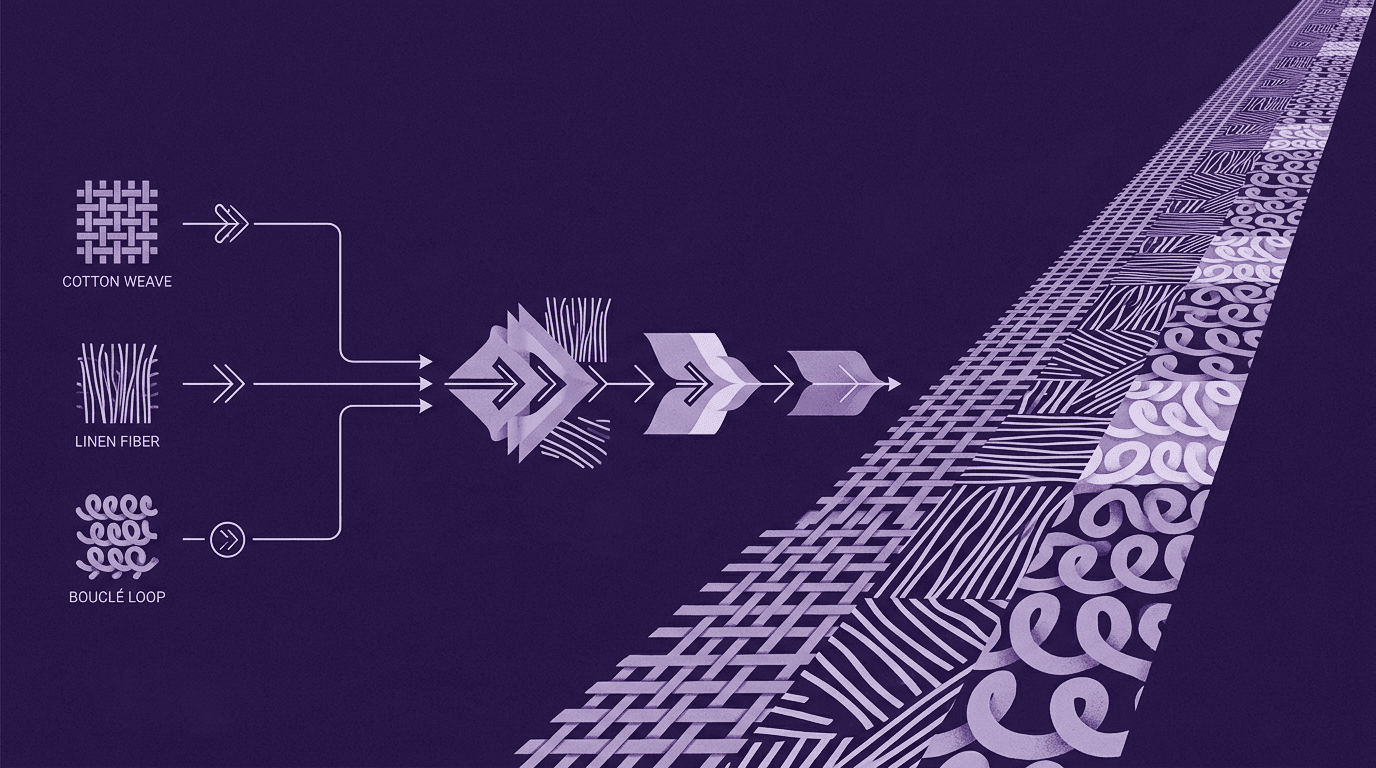
This guide is here to change that. We are going to break down how to handle three of the most essential, in-demand fabric textures in modern design: cotton, linen, and bouclé. Instead of spending half your workday manually stamping out edge seams in Photoshop or fighting with awkward clone brushes, we are going to look at fabric texturing as a systematic, automated pipeline. By understanding the physical properties of these fabrics and utilizing Texturly’s smart tiling engine, you can transform raw fabric images into flawless, infinitely repeating digital assets. Forget relying on manual, pixel-by-pixel patchwork; think of this as your new, high-efficiency workflow for building hyper-realistic digital materials.
The blueprint of a perfect digital fabric texture
Before we dive into specific fabrics, we need to understand what makes a digital textile look genuinely tactile and responsive to light. In modern Physically Based Rendering (PBR) workflows, a texture isn't just a flat color image wrapped around a 3D object. It is a sophisticated system of overlapping data maps that dictate how light interacts with a surface.
When you look at a real-world fabric, your eyes pick up on micro-shadows hidden between the woven threads, the slight sheen of the fibers, and the physical height variations of the weave. To replicate this in a 3D engine like Blender, Unreal Engine, or Cinema 4D, your seamless texture must generate three fundamental layers cleanly:
- Albedo (Base color): The pure color map, entirely stripped of external lighting, highlights, or baked-in shadows. For fabric, this layer must capture the subtle color variations of dyed threads without looking muddy when repeated.
- Normal map: The critical map that simulates surface depth. It tells the rendering engine exactly how light should bounce off individual threads, twists, and fiber loops without adding millions of geometry polygons to your model.
- Roughness map: This dictates how shiny or matte the fabric is. Synthetic threads might have a higher reflectivity, whereas natural cotton and linen absorb light significantly, requiring a highly dialed-in, mostly matte roughness value to prevent a "plastic" look.
The ultimate challenge is making all three of these maps loop together seamlessly at their boundaries. If your normal map wraps perfectly but your albedo map has a slight color gradient across its edges, your texture will still fail the tiling test.
Deep dive 1: Cotton – The versatile foundation
Cotton is the undisputed workhorse of both the physical textile world and digital design. From crisp denim and heavy canvas to soft t-shirt jersey and intricate twill upholstery, cotton is everywhere. Because it is so ubiquitous, human eyes are incredibly attuned to what it looks like in reality. If your digital cotton texture is even slightly off, it immediately triggers an uncanny-valley response in your viewers.
Understanding the digital weave
At a microscopic level, cotton fibers are spun into yarn and woven or knitted at tight, uniform intervals. This regularity is both a blessing and a curse for digital artists. On one hand, the grid-like nature of plain-woven or twill cotton makes it predictable. On the other hand, when you tile a tight, repeating grid over a large surface area, like a massive sectional couch or an entire bedding set, the micro-patterns can create an unwanted visual artifact known as a Moiré effect. This wavy, distracting pattern occurs when the frequency of your texture’s repeating weave clashes with the pixel resolution of your render.
Common tiling traps
The biggest mistake designers make when creating seamless cotton textures is ignoring lighting gradients in their original source image. If one side of your raw fabric photo is even 5% darker than the other due to a slight shadow from your scanner or camera, that variance multiplies exponentially when tiled. Your seamless couch will suddenly look like a checkerboard of alternating light and dark squares.
The Texturly solution for cotton
When you process a cotton scan through Texturly, the engine's primary job is light equalization and precise grid alignment. Texturly automatically flattens out macro-shadows across the sample, ensuring that the base color is uniform from edge to edge. Furthermore, because cotton relies on highly structured weave lines, Texturly’s tiling algorithm seamlessly aligns the vertical and horizontal threads at the boundary cuts. This avoids awkward "broken thread" lines, giving you a smooth, infinite weave that looks flawless whether viewed from a distance or up close in a macro shot.
Deep dive 2: Linen – The organic realism booster
If cotton represents structured uniformity, linen represents beautiful, organic imperfection. Made from the fibers of the flax plant, linen is celebrated for its breathability, crisp hand-feel, and characteristic irregularities. In modern interior design and architectural visualization (ArchViz), linen is highly prized for curtains, throw pillows, and minimalist luxury furniture because it injects immediate warmth and lived-in realism into a room.
The physics of slubbing
What makes linen look like linen are slubs, intentional, natural lumps and variations in the thickness of the yarn that occur during the spinning process. These slubs create an asymmetric weave where some threads are thick and prominent, while others are thin and translucent. When light passes through a linen curtain, these slubs create a gorgeous, dappled interplay of light and shadow.
The repetitive-pattern nightmare
For a texture artist, those beautiful slubs are an absolute nightmare to tile manually. Because a large, distinct slub is a highly visible landmark, repeating it over a large surface area makes the texture loop painfully obvious. If a client looks at a rendered 3D bedscape and sees the exact same distinctive diagonal fabric lump repeating every twelve inches across the duvet, the illusion of luxury realism evaporates instantly.
Preserving linen's soul with smart blending
To create a truly seamless linen texture, you cannot just cut the edges and mirror them. Mirroring creates strange, symmetrical "V" shapes in the organic slubs that look completely artificial.
Texturly solves this by using advanced, context-aware boundary blending. Instead of forcing a straight cut or a simple gradient fade at the borders, Texturly’s AI analyzes the chaotic paths of the flax fibers. It then intelligently weaves the edges together, effectively "growing" new, plausible fiber paths that bridge the seam. The result is a seamless texture that completely randomizes the distribution of natural imperfections, allowing your linen to retain its organic, breathable soul across massive 3D surfaces.
Deep dive 3: Bouclé – The complex, high-textured trendsetter
In recent years, bouclé has taken the interior design and digital fashion worlds by storm. Derived from the French word meaning "to curl" or "to loop," bouclé is a heavy fabric woven from looped yarn. It is tactile, ultra-cozy, and incredibly complex. Whether you are rendering a trendy mid-century modern accent chair or a high-end designer winter coat, bouclé is the ultimate test of a digital artist's texturing capability.
The texture nightmare: Loops, curls, and depth
Bouclé completely throws out the traditional rules of flat, orderly weaving. It is defined by its extreme three-dimensional topography. The surface is a dense sea of microscopic loops, curls, and knots that protrude from the fabric backing at random angles. Because of this structural depth, bouclé relies heavily on micro-shadows. Every single tiny loop casts a miniature shadow onto the loop beneath it.
When translating this into a digital PBR material, a simple flat image will always look incredibly fake. Bouclé demands an intensely detailed Normal map and an aggressive Displacement or Height map to physically push and pull the geometry of your 3D model at render time.
The challenge of tiling chaos
Because bouclé yarn loops are chaotic and intertwined, finding a natural "cut point" to create a seamless loop manually is nearly impossible. If you try to use a standard blend or feathering tool on a bouclé edge, you end up with a blurry, smudged zone along the seam line where the crisp, curly loops suddenly melt into a featureless mush. This loss of high-frequency detail instantly gives away the texture seam.
Master complex loops with Texturly
Texturly’s generation engine is tailor-made for high-frequency, complex textures like bouclé. Instead of blurring boundary pixels together, the engine uses structural synthesis to analyze the geometry of the loops. It recognizes the curls as distinct structural objects rather than flat pixels, overlapping and interlocking the edge loops from the left side of the image with those on the right.
Additionally, Texturly computes highly precise Roughness and Normal data from the high-contrast highlights and shadows of your source material, capturing the matte depth of wool or cotton bouclé blends. This ensures that when your camera pans across a virtual bouclé armchair, the light catches the tops of the loops dynamically while keeping the deep crevices appropriately shadowed—completely hiding the fact that the texture is repeating.
Your 3-step workflow: Turning raw fabric scans into seamless pipelines
Now that we understand the distinct personalities of cotton, linen, and bouclé, let’s look at how to build a highly efficient, repeatable production pipeline to generate these assets using Texturly. Stop treating texture preparation like a tedious guessing game; follow this automated loop to get perfect results every time.
1. Source and isolate your macro pattern
Whether you are photographing a physical fabric swatch with your phone, scanning a sample on a flatbed scanner, or using an online stock image, start with a high-resolution, well-lit top-down shot.
- For cotton: Ensure the weave is completely squared up and perpendicular to your camera frame.
- For linen: Capture a large enough sample area so that multiple unique yarn slubs are visible.
- For bouclé: Use high-resolution macro photography to capture the crisp silhouettes of individual yarn loops.
2. Use Texturly’s AI to erase edge-seam repetition
Upload your raw image into the Texturly SaaS dashboard. Select your target material type and let the AI go to work. The system will instantaneously perform a multi-point check:
- It flattens out uneven lighting and lens vignetting (dark corners).
- It analyzes the specific pattern archetype (structured grid for cotton, organic fibers for linen, chaotic loops for bouclé).
- It synthesizes a seamless boundary wrap, giving you an instantly tileable preview.
3. Export balanced PBR maps for your engine
Don't just export a single color image. Once Texturly completes its seamless generation, use its automated PBR pipeline to instantly generate and download your complete, matching map bundle. Texturly doesn't just tile the surface color; it synthesizes a cohesive stack of Albedo, Normal, and Roughness maps simultaneously, ensuring that your lighting remains perfectly synchronized across every boundary cut.
Depending on the fabric you are processing, you will want to focus on specific map priorities when importing the asset bundle into your shader graph in Blender, Unreal Engine 5, or Marvelous Designer:
Cotton map pipeline
- Key map priority: Albedo and Tight Normal
- Ideal export settings: 2K Resolution, Low Displacement
- Recommended use case: Crisp apparel, heavy denim, and uniform bedding setups.
Linen map pipeline
- Key map priority: High-Detail Roughness
- Ideal export settings: 4K Resolution, Subtle Normal
- Recommended use case: ArchViz curtains, luxury cushions, and relaxed, high-end apparel.
Bouclé map pipeline
- Key map priority: Aggressive Displacement and Normal Maps
- Ideal export settings: 4K Resolution, High Depth
- Recommended use case: Mid-century statement furniture, designer coats, and cozy throws.
Once you have downloaded your tailored map package from the Texturly dashboard, plug the entire stack directly into your material nodes. Set up your texture coordinate mapping, scale the tiling factor to match your asset's real-world dimensions, and watch your seams vanish completely.
Fabric texturing is no longer a chore
The old way of creating fabric materials, wasting hours fighting with clone stamps, fixing broken thread lines by hand, and dealing with ugly, blocky rendering seams, is a massive bottleneck to your creative output. As a modern digital artist, designer, or visualizer, your time is far too valuable to be spent on manual pixel maintenance.
By understanding how light interacts with the uniform grids of cotton, the natural slubs of linen, and the chaotic 3D loops of bouclé, you gain complete creative control over your digital environments. By plugging these unique characteristics into an automated texturing pipeline like Texturly, you transform resource collection and material creation from a tedious chore into a highly calculated, efficient, and scalable workflow.
You’ve got the strategy and the tools to back it up. Stop wrestling with seams, automate your material pipeline, and go build something incredible!

Mira Kapoor
Mira leads marketing at Texturly, combining creative intuition with data-savvy strategy. With a background in design and a decade of experience shaping stories for creative tech brands, Mira brings the perfect blend of strategy and soul to every campaign. She believes great marketing isn’t about selling—it’s about sparking curiosity and building community.
Latest Blogs

The Indie Dev Guide to CC0 PBR Textures: Stop Searching, Start Cr...
PBR textures
AI in 3D design

Mira Kapoor
Jul 10, 2026

Sourcing Free Game Textures: Navigating PBR Pipelines and Stylize...
PBR textures
Game textures
Mira Kapoor
Jul 6, 2026

Sculpting with Sunlight: The Architectural Physics of Facade Text...
Texture creation
AI in 3D design

Max Calder
Jul 1, 2026

Accelerate you workflow
with automated PBR texture generation
Enjoy creative freedom with AI powered texture creation
 Texturly
Copyright © 2026 Texturly, Asha Technology Labs Pvt. Ltd. All rights reserved